Best Software for Process Mapping: Tools, Features & ROI Guide
Introduction
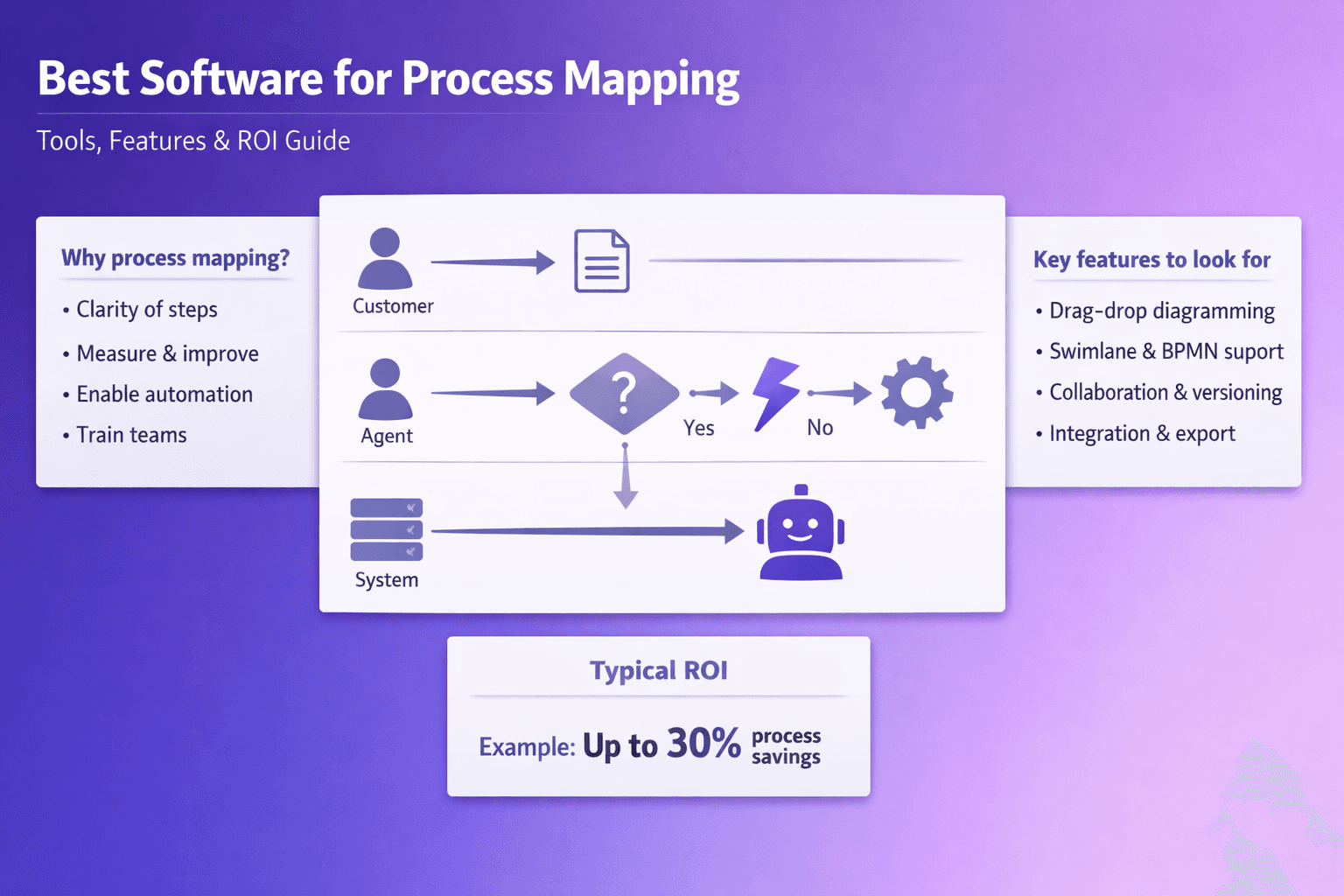
Process mapping is the simple act of turning how work actually happens into a visual, step-by-step representation. That could be a swimlane diagram showing who does what during a loan application, a BPMN model for an order-to-cash flow, or a flowchart that captures the exception paths in an invoice approval process. The point is clarity: once a process is visible, you can measure it, improve it, automate parts of it, and teach it.
These days, paper diagrams and scattered Visio files aren’t good enough. Modern software for process mapping does more than draw boxes and arrows. It connects diagrams to live data, adds versioning and roles, ties into automation tools and process mining engines, and makes continuous improvement repeatable across teams. Tools can even generate flow diagrams from screen recordings and produce step-by-step documentation automatically — which is where platforms like Lyren AI come into play: feed a UI recording in, get structured SOPs and diagrams out, plus an assistant that answers questions over that documentation.
Who benefits? Business analysts, consultants, operations managers, process automation teams, RPA engineers, compliance officers. Everyone who needs repeatable, auditable processes that people can follow and systems can act on.
Why Use Software for Process Mapping
You could sketch processes on a whiteboard, take a picture, and call it a day. That sometimes works for tiny teams. But when your organization spans departments, time zones, and compliance requirements, you need software. Here’s why.
-
Faster, standardized visualizations that improve clarity
A template-based approach saves hours. Instead of redrawing the same payment approval flow five times, good software gives you BPMN symbols, swimlanes, and reusable shapes. That matters: teams using standard notation report faster onboarding for new hires and fewer exceptions, because everyone reads the same map the same way. -
Collaboration, version control and traceability across teams
When diagrams live in a shared platform you get comments, change history, and role-based access. Imagine a compliance officer reviewing changes to the refund process and seeing exactly who edited what and why. No more "he said, she said" about process changes. -
Supports process improvement, automation and compliance efforts
Tools that integrate with process mining or RPA platforms let you go from discovery to automation faster. For example, Celonis can show where your claims process stalls; Signavio (now part of SAP) helps you model the fixed process required for automation; then UiPath executes the automation. Compliance-heavy industries — financial services, healthcare, pharmaceuticals — need audit trails. Good process mapping tools add those.
Practical note: if your processes have high rework, long cycle times, or compliance controls, the ROI for a mapping tool is usually obvious. If you handle 10,000 invoices a month and can cut straight-through processing time by 30%, that's real money.
Key Features to Look For in process mapping software
When you're shopping for software for process mapping, don't just look at pretty diagrams. Look at capabilities that make maps actionable and sustainable.
-
Diagramming ease and templates
Drag-and-drop editing, snap-to-grid, swimlanes, and pre-built templates save time. Make sure the tool supports BPMN if you need precise modeling. BPMN is the standard for process modeling — if you plan to hand diagrams to technical teams or import them into execution engines, BPMN compliance matters. -
Collaboration, commenting, role-based access and versioning
You want comments on specific elements, not a million email threads. Role-based access keeps subject-matter experts from accidentally changing published SOPs. Versioning with change notes makes audits simple. -
Simulation, analytics, process mining integration and APIs
Simulation helps you answer “what if” questions: what happens if throughput increases 20%? Analytics and process mining show actual bottlenecks. APIs and webhooks mean you can integrate diagrams and their metadata into service desks, MDM systems, and RPA platforms. -
Reuse, hierarchies and modular modeling
Can you create process fragments and reuse them? Large enterprises need hierarchies where a high-level process links to detailed subprocesses. -
Export and governance features
Export to PDF for training; export BPMN XML for automation engines. Also, audit logs, approval workflows, and naming conventions enforcement are basic governance features. -
Security and compliance
SSO (SAML/OAuth), role-based permissions, encryption at rest and transit, SOC 2 or ISO certifications if you're in a regulated industry.
Practical tip: create a shortlist of “must-have” vs “nice-to-have” features before you call vendors. If simulation and process mining are must-haves, rule out simple diagramming tools early.
Types of Process Mapping Tools
Not every tool solves every job. Here's how I think about the major categories and when to use them.
-
Simple diagramming tools (Visio, Lucidchart, Miro) — documentation and stakeholder communication
These are great for quick diagrams, workshop facilitation, and stakeholder sign-off. Microsoft Visio is widely used in enterprises; Lucidchart is popular for cloud-first teams and integrates with Confluence and Google Workspace. Miro is great for discovery workshops when you want sticky notes and freeform collaboration.Use when: you need quick documentation, workshop outputs, or simple SOP diagrams that don’t require execution or detailed analytics.
-
BPM suites for modeling, automation and governance (SAP Signavio, ARIS by Software AG, Bizagi, Bonita)
These tools support enterprise modeling, governance workflows, process repositories, and often link to automation engines. Signavio is strong for process governance and business transformation; ARIS scales to large enterprise model libraries with governance. Bizagi and Bonita can combine modeling with execution.Use when: you need standardization across the enterprise, governance, and a path to automation or process ops.
-
Process mining platforms (Celonis, UiPath Process Mining, ABBYY Timeline) — discover and analyze real workflows
Process mining looks at event logs from systems (ERP, CRM) to show how work actually moves, where rework happens, and which variants exist. Celonis is the category leader, known for deep analytics; UiPath Process Mining ties directly to automation.Use when: you don’t know what your process actually looks like, or you want data-driven insight into automation ROI.
-
Hybrid solutions and next-gen tools (Lyren AI and others)
Newer platforms can create documentation and diagrams from screen recordings, transcribe steps, and generate process flow diagrams automatically. That reduces the manual work in documenting digital processes and helps scale SOP creation.Use when: much of the process is executed in a UI and you already have training videos, screen recordings, or want to scale documentation quickly.
How to Evaluate and Compare Tools
Buying software for process mapping without a structured evaluation is how you end up with unused licenses. Here’s a practical approach.
-
Create an evaluation matrix
Rank each vendor on features, integrations, security, usability, price, and expected ROI. Use simple scores (1–5) and weight them to reflect priorities.Example matrix (CSV-style, paste into a spreadsheet):
Vendor,Diagrams (1-5),BPMN (Y/N),Process Mining (1-5),Collab (1-5),APIs (1-5),Security (1-5),Price Score (1-5),Weighted Score
Lucidchart,4,Partial,1,5,3,4,5,?
Signavio,4,5,3,4,4,5,3,?
Celonis,2,1,5,3,4,5,2,?
Lyren AI,3,3,2,4,5,4,4,?
Weight columns based on what matters. If integration with Celonis or UiPath is critical, give APIs/process mining higher weight.
-
Run pilot projects
Pick 2–3 real processes (not toy examples) and map them end-to-end with each shortlisted tool. Measure:- Time to create a complete, publishable map
- Number of people involved in edits/reviews
- Time to produce an SOP or automation-ready model
- Usability via a quick survey (1–5) from users who created and who consumed the documentation
A pilot should last 2–6 weeks depending on process complexity.
-
Measure outcomes and ROI
Track baseline metrics for each process: cycle time, error rate, manual touchpoints, training time per new employee. After mapping and applying improvements, measure changes. Calculate ROI: (annualized savings - total cost) / total cost.Quick ROI example:
- Baseline: 8-day average ticket resolution, 30% manual rework, 3 FTEs processing
- Expected improvement after mapping + automation: reduce rework to 10%, process time cut to 3 days, 1.5 FTE saved
- FTE salary loaded: $70,000/year -> savings = 1.5 * 70,000 = $105,000/year
- Tool + implementation cost: $30,000 + $20,000 = $50,000
- ROI year 1 = (105,000 - 50,000) / 50,000 = 110% (payback < 12 months)
-
Consider deployment model and vendor support
Decide cloud vs on-prem. If you're in financial services with strict data residency, on-prem or private cloud is often required. Ask about SLAs, backup, disaster recovery, and support response times. -
Check integrations and future path
Will the tool connect to your ERP, ServiceNow, RPA tools, and process mining? Check available connectors and the ease of building custom integrations via APIs.
Practical checklist to take to vendors:
- Can you export/import BPMN XML? (Yes/No)
- Do you support SSO (SAML/SCIM)? (Yes/No)
- Is there a versioning and approval workflow? (Yes/No)
- Built-in process mining or partner integrations? (Explain)
- Time to configure pilot environment (days)
- Average onboarding time for 20 users (hours/days)
- Example customers in my industry
Top Software Options and Practical Use Cases
Here’s how different tools actually get used in the real world. I’ll be blunt — pick the tool that matches the job.
-
Lucidchart / Microsoft Visio — quick diagrams and stakeholder communication
Use case: A product operations team mapping the feature release process across PMs, Eng, QA, and Support. Lucidchart integrates with Confluence and Slack, so diagrams live where conversations happen. Visio is often required in regulated enterprises because it's part of the MS stack and familiar to many auditors.Example: An ecommerce company used Lucidchart templates to document 30 customer support flows in 4 weeks, reducing average handle time by 18% through clearer escalation paths.
-
SAP Signavio / ARIS — enterprise modeling, governance and process ops
Use case: Global bank needs a canonical process repository, model governance, and a managed path to automation. Signavio's process governance features and ARIS’s hierarchical modeling make both tools good for enterprise-wide standardization.Example: A multinational insurer standardized 120 policies and automated 15% of claims processing after standardizing process models in Signavio and connecting to their RPA program.
-
Celonis (process mining) + BPM tools — drive automation and continuous improvement
Use case: You suspect a supply chain has hidden bottlenecks. Celonis reads SAP event logs and shows you where orders pile up. From there, you model the optimized process in a BPM suite and deploy automations.Example: A manufacturing firm used Celonis to identify that 25% of purchase orders were waiting on invoice mismatches. They fixed the root cause and deployed a rule-based automation to handle exceptions, cutting order-to-cash time by 40%.
-
Lyren AI (auto-documentation and diagram generation from recordings) — fast SOP creation for UI-driven workflows
Use case: A helpdesk has dozens of screen-recorded walkthroughs. Lyren AI converts those videos into structured step-by-step documentation, generates process flow diagrams, and provides an AI assistant that answers user questions based on the docs.Example: A SaaS company converted 100 screen recordings into searchable SOPs in two weeks. New hire ramp time dropped from 6 weeks to 3 weeks because the step-by-step guides were accurate and searchable.
-
UiPath Process Mining + UiPath Studio (RPA) — automation-first approach
Use case: RPA team wants to convert a high-volume transactional process to bots. Use UiPath Process Mining to discover variants, then build automations in UiPath Studio.Example: A telco used Process Mining to identify repetitive order-entry tasks and deployed UiPath robots that saved 2.3 FTEs annually.
Practical advice: If you're starting small, pick a diagram-first tool that integrates with Confluence or SharePoint. If you've got high variance and data in logs, start with process mining. If you have lots of UI-based procedures, use a tool like Lyren AI to auto-generate documentation and diagrams — it cuts the documentation bottleneck dramatically.
Implementing Process Mapping in Your Organization
Getting the software is only half the battle. The other half is adoption. Here's a playbook that works.
-
Gain stakeholder buy-in early
Identify process owners and sponsors in each function. Show them a crisp ROI case or a quick win – like reducing the time to resolve a common exception by 30% through clarifying a process. Sponsors make things happen. -
Define governance and naming standards
Create a process naming convention (e.g., Function.Process.Subprocess.Version). Decide the lifecycle: Draft -> Review -> Approved -> Deprecated. Assign an owner for each published process and define review cadence (quarterly, semi-annual).Example naming: FIN.AP.InvoiceApproval.v1
-
Start with a pilot
Pick 2–3 processes that are:- High-volume or high-cost
- Cross-functional
- Feasible to measure
Run a 6-week pilot: discovery, map, analyze, implement changes or automations, measure. That’s fast enough to show momentum but long enough to produce meaningful results.
-
Scale by documenting best practices
Build templates, checklists, and a “process mapping playbook” that shows how to create diagrams, name them, and submit for approval. Create a library of reusable subprocess components. -
Integrate with RPA and CI cycles
Hook process metadata into your automation backlog. If a process shows an automation candidate, tag it in your RPA backlog with priority and estimated effort. Connect process changes to your CI/CD documentation — when a process changes, update the deployment runbook. -
Train users and set upkeep responsibilities
Train both creators (analysts) and consumers (frontline staff). Keep upkeep responsibilities explicit: who edits, who reviews, how often. Consider a “process champion” per team who handles day-to-day updates. -
Embed processes in performance metrics and audits
Tie KPIs (cycle time, error rate, cost per transaction) to process owners. Include process documentation in audit evidence packages. That makes the documentation useful, not just decorative.
Practical training plan:
- Week 1: 2-hour workshop for analysts on tool features, templates, BPMN basics
- Week 2: 1-hour drop-in clinic for authors
- Ongoing: Monthly office hours and a Slack channel for quick questions
Practical pitfalls to avoid:
- Don’t map everything at the same level of detail. Use high-level process maps linked to detailed SOPs.
- Don’t make the process library a file dump — enforce taxonomy.
- Don’t skip real data. If you map without data, you’ll miss variants and waste effort.
Measuring ROI and Impact
You’ll hear a lot of vague ROI claims. Here’s a practical way to measure and argue for continued investment.
-
Baseline the right metrics
Common metrics:- Cycle time (average and 95th percentile)
- Error or exception rate
- Manual touchpoints per case
- FTE effort (hours per month)
- Training time for new staff
- Customer satisfaction (CSAT) where applicable
-
Link mapping activities to outcomes
Track which maps were updated, which were used for training, and which led to automation. For each improvement, estimate time saved (hours), error reduction (%), and cost savings. -
Use conservative estimates and track actuals
If a bot will save 200 hours/month, don't claim 100% of that as immediate realized savings — track how much of that was reallocated vs headcount reduced. -
Present a simple ROI dashboard
Show:- Investment: software licensing, implementation, internal hours
- Quantified savings: FTE hours, reduced penalties, faster cycle times
- Payback period and Year 1 ROI
Example ROI table:
- Investment: $60,000 (tool + implementation)
- Savings Year 1: 2.5 FTEs @ $70,000 = $175,000 + error reduction penalties avoided $20,000 = $195,000
- Net Year 1 benefit = $135,000
- ROI = 225% Year 1
- Don’t forget qualitative wins
Better onboarding, fewer escalations to managers, smoother audits — these are real and often open the door to additional funding.
Conclusion
Choosing the right software for process mapping makes a real difference: faster mapping, better collaboration, measurable improvement, and clearer paths to automation. Start by matching tool capabilities to your needs — whether that's simple diagramming for documentation, BPM suites for enterprise governance, process mining for discovery, or modern solutions like Lyren AI that extract SOPs and flow diagrams from screen recordings.
Next steps:
- Shortlist 3 tools based on must-have features
- Run two pilots on real, measurable processes
- Measure baseline KPIs, implement improvements, and calculate ROI
If you already have a library of screen recordings, try generating documentation and diagrams automatically — it often pays back very quickly in reduced documentation time and faster ramp for new hires. Pick a concrete, high-impact process and ship a pilot in 4–6 weeks. You’ll learn a lot fast, and you’ll have the numbers to get broader adoption.