Choosing Software for Business Process Mapping: Top Tools & Guide
Introduction
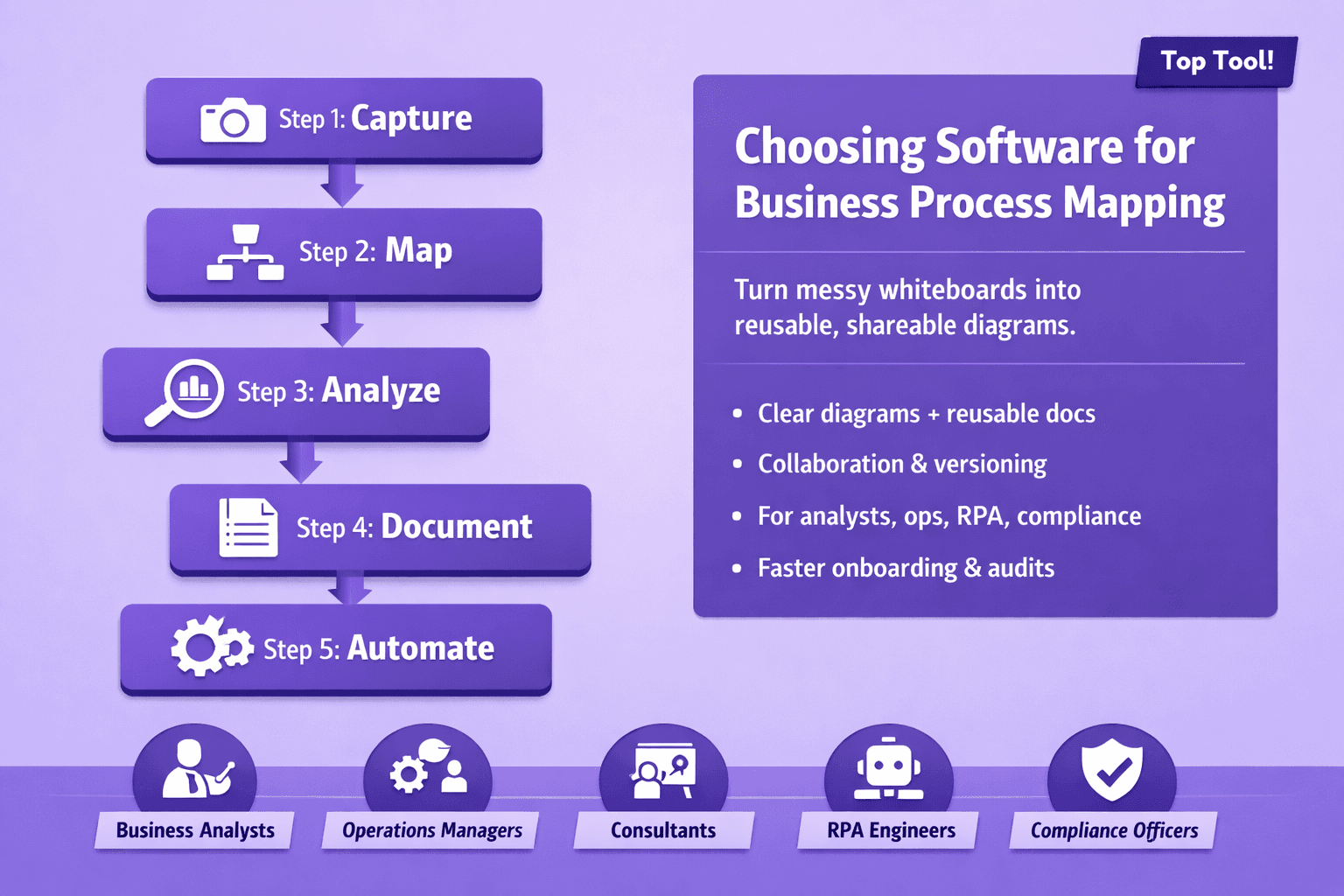
If you've ever stared at a messy whiteboard full of sticky notes and felt your brain short-circuit, you know why software for business process mapping exists. These tools turn fuzzy workflows and tribal knowledge into clear, reusable diagrams and structured documentation that teams can actually use.
Who uses them? Business analysts, operations managers, consultants, RPA engineers, compliance officers, and even product and training teams. If your job involves explaining how work gets done, finding bottlenecks, or turning a manual task into an automated one, you need reliable process maps — and the right software makes that work a lot easier.
This article will help you pick the right software for business process mapping. You'll get selection criteria, comparisons of top tools (Signavio, Lucidchart, Visio, Bizagi, Camunda, Miro, and more), pricing and deployment notes, and practical advice for piloting and rolling out a mapping program. I’ll also show how mapping links to automation projects — including real-world examples and a couple of quick-win scenarios you can test this quarter.
Why Use Software for Business Process Mapping
Human brains are great at improvising. They're terrible at keeping consistent process documentation.
Manual mapping — sticky notes, PowerPoint slides, ad-hoc Visio files stored in user folders — causes four predictable problems:
- Maps differ by author. Same process, 3 different diagrams, 3 different assumptions.
- Maps rot. No owner. No updates. The diagram is out-of-date the day after deployment.
- Hidden handoffs. Cross-team responsibilities get lost in the shuffle, creating delay and finger-pointing.
- Automation blockers. RPA and workflow engines need structured inputs. Free-text or screenshots won't cut it.
Good software for business process mapping fixes those problems and provides benefits you can measure.
Benefits that actually matter
- Clarity: One source of truth for who does what and when. That cuts miscommunication and speeds onboarding. Example: at a mid-size bank I worked with, standardizing loan processing flows reduced first-time errors by 18% in six months.
- Standardization: Support for BPMN or standard templates means everyone draws the same shapes for the same concepts. That makes handoffs far less awkward.
- Faster discovery: Built-in interview checklists and process capture tools let analysts gather data quicker. Tools like Signavio and Lyren AI can extract steps from screen recordings, which saves hours of manual transcription.
- Better handoffs: When maps show owners and SLAs, operations know who to call and when — so cycle times drop.
- Compliance and audit readiness: Versioned, timestamped models help prove controls and changes for auditors.
- Automation enablement: RPA bots and workflow engines need structured processes. If you can export a process with task details, timings, and decision logic, you cut the automation discovery phase in half.
Key Features to Look For in Mapping Software
Not all mapping tools are created equal. Some are for sketching and collaboration; others are for enterprise governance, process mining, and automation.
Here's what to prioritize depending on your goals.
Diagramming capabilities: BPMN, templates, and ease of use
- BPMN 2.0 support: If you’ll hand models to developers or process owners who use BPM engines (Camunda, Bizagi), you want true BPMN exports, not just pretty boxes. Look for tools that support subprocesses, message flows, and decision tasks.
- Templates and libraries: Starter templates for HR onboarding, invoice processing, IT incident management — they save time. Lucidchart and Miro have big template libraries.
- Ease of use: A steep learning curve kills adoption. Visio and Lucidchart are familiar to many; Signavio aims for business users while still handling BPMN rigor.
Quick opinion: For analysts who need formal models — pick a tool with proper BPMN and export to XML. For workshops and quick diagrams — pick Lucidchart or Miro.
Collaboration and version control for distributed teams
- Real-time editing: Multiple people editing a map at once is non-negotiable for distributed teams.
- Comments and annotations: Contextual comments on shapes avoid email chains.
- Version history and rollback: You need to track who changed what and why. This is crucial for governance.
- Access controls: Role-based permissions that separate who can edit vs who can only view/publish.
Example: Signavio provides review workflows and decision logs. Miro and Lucidchart give excellent co-editing but lack enterprise-level governance unless you buy team plans.
Process analysis tools: simulation, bottleneck detection, and metrics
- Simulation: Can you run a simple throughput simulation to see where queues form? Tools like Signavio and Bizagi include simulation engines.
- Metrics and KPIs: The ability to attach cycle times, costs, and probabilities to tasks turns a diagram into insight.
- Bottleneck detection: Process mining platforms (Celonis is the industry leader) detect real bottlenecks from logs. Some mapping tools include connectors to mining outputs.
If your goal is optimization and measurable improvement, prioritize simulation and analysis. If you're just documenting, visual-only tools may be enough.
Integration, export options, and automation connectors
- Export formats: BPMN XML, SVG, PNG, Visio, and PDF are standard. BPMN XML is key for moving models into workflow engines.
- Connectors: Direct connectors to RPA platforms (UiPath, Automation Anywhere), workflow engines (Camunda, Bizagi), or process mining tools save integration time.
- APIs: If you want to embed maps into a knowledge base or integrate with a CMS (like Lyren AI’s docs), a REST API is essential.
Example: If you plan to feed maps into an RPA pipeline, choose a tool that exports task-level details and scripts, or pick a platform that integrates with UiPath Orchestrator.
Top Software Options Compared
Here's a practical comparison of tools you'll likely consider. I’ll summarize strengths, typical use cases, and some pricing/availability notes.
Signavio (SAP Signavio)
- Strengths: Enterprise-grade process modeling, BPMN 2.0 support, process governance, simulation, and process intelligence when combined with Signavio Process Intelligence.
- Use cases: Enterprise transformation, process governance, and compliance-heavy environments.
- Pricing and deployment: Cloud-first; enterprise pricing (contact sales). Best fit for organizations needing governance and deep analysis.
Why consider it: If you need full lifecycle process management and strong audit trails, Signavio is usually the go-to.
Lucidchart
- Strengths: Fast diagramming, great collaboration, easy onboarding, templates.
- Use cases: Quick diagrams, cross-functional workshops, architecture diagrams and training materials.
- Pricing: Free tier with limited features. Individual starts around $7.95/user/month; teams start around $9/user/month (prices vary).
- Deployment: Cloud.
Why consider it: If you want fast adoption across business teams and don't need formal BPMN exports, Lucidchart is practical.
Microsoft Visio
- Strengths: Familiar UI, integration with Office 365, Visio for web and Pro desktop.
- Use cases: Traditional corporate environments where Visio files are the standard.
- Pricing: Visio Plan 1 around $5/user/month; Plan 2 around $15/user/month (pricing may change).
- Deployment: Cloud and desktop options.
Why consider it: If your org already runs Microsoft 365 and needs simple flowcharts and org charts, Visio fits. It doesn't always handle BPMN as cleanly as purpose-built tools.
Bizagi
- Strengths: Free modeler, strong BPM engine options, simulation, and a bridge to automation.
- Use cases: RPA-enabling and workflow automation where you want end-to-end process deployment.
- Pricing: Modeler is free; cloud and enterprise options are licensed per deployment/user.
- Deployment: Cloud and on-premise.
Why consider it: If you want to move from diagram to running process quickly and need a model-driven execution environment, Bizagi is compelling.
Camunda
- Strengths: Lightweight process engine, developer-friendly, strong BPMN and DMN support, open-source core with enterprise options.
- Use cases: Developers building microservices-based automation and process orchestration.
- Pricing: Open-source model available; enterprise subscriptions for support.
- Deployment: Cloud and on-premise.
Why consider it: If you have engineering resources and want a flexible process engine where models drive real execution, Camunda is a solid choice.
Miro
- Strengths: Infinite canvas, sticky notes, templates, great for workshops and discovery sessions.
- Use cases: Discovery workshops, stakeholder alignment, initial mapping and brainstorming.
- Pricing: Free tier; paid plans from about $8/user/month.
- Deployment: Cloud.
Why consider it: Use Miro early in the mapping lifecycle to gather input before formalizing in a BPMN tool.
Other notable mentions
- Celonis: Best-in-class for process mining and analyzing execution data. Use it to find hidden bottlenecks before mapping.
- Lucidscale (for cloud architecture mapping): Helpful when processes cross cloud infra and you need visualizations tied to resource inventories.
- Lyren AI: If your process knowledge lives in training videos and screen recordings, Lyren AI extracts step-by-step documentation, generates flow diagrams, and adds an AI assistant that answers questions about the docs. That makes knowledge capture and SOP creation far less painful.
Best picks by use case
- Enterprise transformation & compliance: Signavio (SAP), Celonis (for mining + Signavio for modeling).
- Quick diagrams and team workshops: Lucidchart or Miro.
- RPA enabling and model-driven automation: Bizagi or Camunda for execution, with UiPath for bots.
- Process discovery from recorded work: Lyren AI, especially if you have many task-level screen recordings.
- Process mining + optimization: Celonis or specialized process mining tools.
How to Choose the Right Tool for Your Team
Choosing a tool isn't about features alone. It's about fit: who will use it, how often, and what you're planning to do with the maps.
Decision criteria
- User roles: Who will author models? Business users, analysts, developers? Business users need low-friction tools; developers need BPMN exports and XML.
- Scale: A dozen processes for one team needs a different tool than thousands of enterprise processes across dozens of business units.
- Governance needs: Do you need approvals, controlled publishing, and audit logs?
- Integration needs: Do you need connectors to UiPath, Camunda, JIRA, Confluence, or a knowledge base like Lyren AI?
- Budget and procurement: Do you have central IT buying power? Are you forced to use a Microsoft stack?
Evaluation checklist and trial testing tips
Run a short, structured trial rather than a casual spin. Use the same sample process across products and compare outcomes.
Sample evaluation checklist (use during trials):
- Can the tool export BPMN 2.0 XML?
- Does it support subprocesses and message flows?
- How easy is co-editing and commenting?
- Does it integrate with your RPA/workflow engines or provide an API?
- Can you attach process metadata (SLA, owner, cost)?
- Is there a version history and access control?
- How steep is the learning curve for non-technical users?
Pilot testing tips:
- Pick 2–3 representative processes: one simple (e.g., PTO request), one cross-team (e.g., invoice to payment), and one automation candidate (e.g., reconciliations).
- Run a 4-week pilot with 2–3 users from each role (analyst, ops, IT).
- Measure time to map, user satisfaction (survey), and whether exports/imports work for automation teams.
- Validate the governance model: Can you lock published maps while allowing drafts?
Here's a small YAML-style checklist you can copy into a ticketing system:
pilot_plan:
  duration_weeks: 4
  processes:
    - name: PTO Request
      complexity: low
    - name: Invoice-to-Pay
      complexity: medium
    - name: Bank Reconciliation
      complexity: high
  success_criteria:
    - export_bpmn_xml: true
    - avg_time_to_map: "<= 4 hours"
    - user_satisfaction: ">= 80%"
    - integration_with_rpa: true
Stakeholder alignment
Buy-in matters. Get these people involved early:
- Business analysts: They’ll own modeling standards and templates.
- Operations managers: They’ll validate process accuracy and KPIs.
- IT/Automation engineers: They’ll validate BPMN exports and integration needs.
- Compliance/audit: They’ll define retention and versioning requirements.
Run a 60-minute kickoff virtual workshop. Use Miro or Lucidchart for discovery. That aligns expectations and surfaces integration blockers early.
Implementation Best Practices
Picking the software is only half the battle. Without structure, you’ll end up with a chaotic repository of half-baked diagrams.
Onboarding strategy: templates, standards, and training
- Start with templates: Create a small set of templates for recurring processes — e.g., "Account Opening (Bank)", "Employee Offboarding", "Invoice Handling".
- Offer a short training program: 90-minute hands-on sessions plus a 30-minute recording. Focus on how to model, not just tool features.
- Champions: Appoint 1–2 power users per business unit who can help others and enforce standards.
Practical tip: Keep the initial standards light. Require BPMN for anything moving to automation, but allow swimlane diagrams for early discovery.
Governance: naming conventions, versioning, and owner responsibilities
- Naming convention example: [BU]-[ProcessName]-[Version]-[Status] e.g., FIN-InvoiceToPay-v1.2-PUBLISHED
- Versioning rules:
- Draft versions editable by the author.
- Published versions locked and archived.
- Minor edits create a new minor version; structural changes bump the major version.
- Ownership:
- Each process must have a named owner and a review cadence (quarterly for core processes).
- Owners are responsible for accuracy and approving changes.
Don't overcomplicate governance. A one-page guide and a 10-minute walkthrough will often do more than 20 policy pages no one reads.
Linking maps to automation and continuous improvement workflows
- Tag automation candidates: Add metadata like "AutomationCandidate: High/Medium/Low" and estimated ROI.
- Connect to issue trackers: Link process tasks to JIRA tickets or automation backlog items so work is traceable.
- Feedback loop: When a bot misbehaves, update the process map and record root cause. That keeps maps living.
Example workflow: Analyst maps process in Signavio → tags tasks as automation candidate → automation engineer exports BPMN and builds a UiPath sequence → post-deployment, process metrics are fed back into Signavio for comparison.
Measuring Value and Scaling to Automation
If you can't show impact, mapping becomes a "nice to have" on slide decks. Measure the right stuff.
KPIs to track
- Cycle Time: Average and 95th percentile for key processes.
- Error Rate: Percentage of rework or exceptions.
- Handoff Delays: Time between owner A finishing and owner B starting.
- Cost per Process Instance: Labor cost per transaction.
- Automation Rate: Percent of tasks automated over time.
- Time to Map: How long it takes to create a usable map (pilot metric).
Set baseline metrics before optimization and re-check monthly after changes. A 10–20% reduction in cycle time in 3 months is a realistic early goal for process-heavy areas.
How mapped processes feed RPA/automation and process mining
- RPA: Bots need structured steps, screens, inputs, and exception rules. A process map with task-level steps and screen recordings (or Lyren AI-generated SOPs) cuts bot development time significantly. Real example: a logistics company I advised used screen recordings exported into a documentation platform; RPA dev time fell by ~30% because less time was spent on knowledge transfer.
- Process mining: Mining discovers how processes actually run. Use it to prioritize mapping effort: mine logs, find the 80% of instances that cause 80% of pain, map those first.
- Execution engines: If you're deploying models to Camunda or Bizagi, your maps can become the source of truth for execution and monitoring.
Case study quick wins
- Finance team (mid-market SaaS): Mapped invoice-to-pay and identified two manual handoffs. After automating invoice OCR and routing, AP cycle time dropped from 6 days to 2 days. ROI realized in 5 months.
- HR onboarding (enterprise retail): Used Miro for discovery, then formalized models in Signavio. Training time for new hires dropped by 25% because SOPs were automatically generated from process maps and screen recordings.
- Customer support (telecom): Process mining identified that escalation handoffs increased resolution times. A map + rule change standardized escalation thresholds, cutting average handle time by 12%.
If you need quick wins to justify budget, target a high-volume, low-complexity process first (e.g., invoice scanning, password resets).
Conclusion
Software for business process mapping turns messy, inconsistent ways of working into structured, measurable, and automatable assets. Pick a tool that fits your users: BPMN-capable platforms like Signavio or Camunda when you need formal models; Lucidchart and Miro for rapid discovery and collaboration; Bizagi when you want to move quickly from map to execution. If your organization has video-based tribal knowledge, platforms like Lyren AI that extract step-by-step documentation and auto-generate diagrams can shave weeks off discovery.
Next steps you can take this week:
- Shortlist 2–3 tools and run a 4-week pilot using the same three sample processes.
- Define lightweight governance (naming convention, owners, review cadence).
- Capture baseline KPIs for one high-volume process and aim for a measurable improvement within 90 days.
Process mapping isn't an academic exercise. Do it with measurable goals, keep standards pragmatic, and tie maps directly to automation and continuous improvement. You'll get cleaner handoffs, fewer errors, and faster time to value.