Knowledge Base Software Free: Top Tools, Comparison & Setup Guide
Introduction
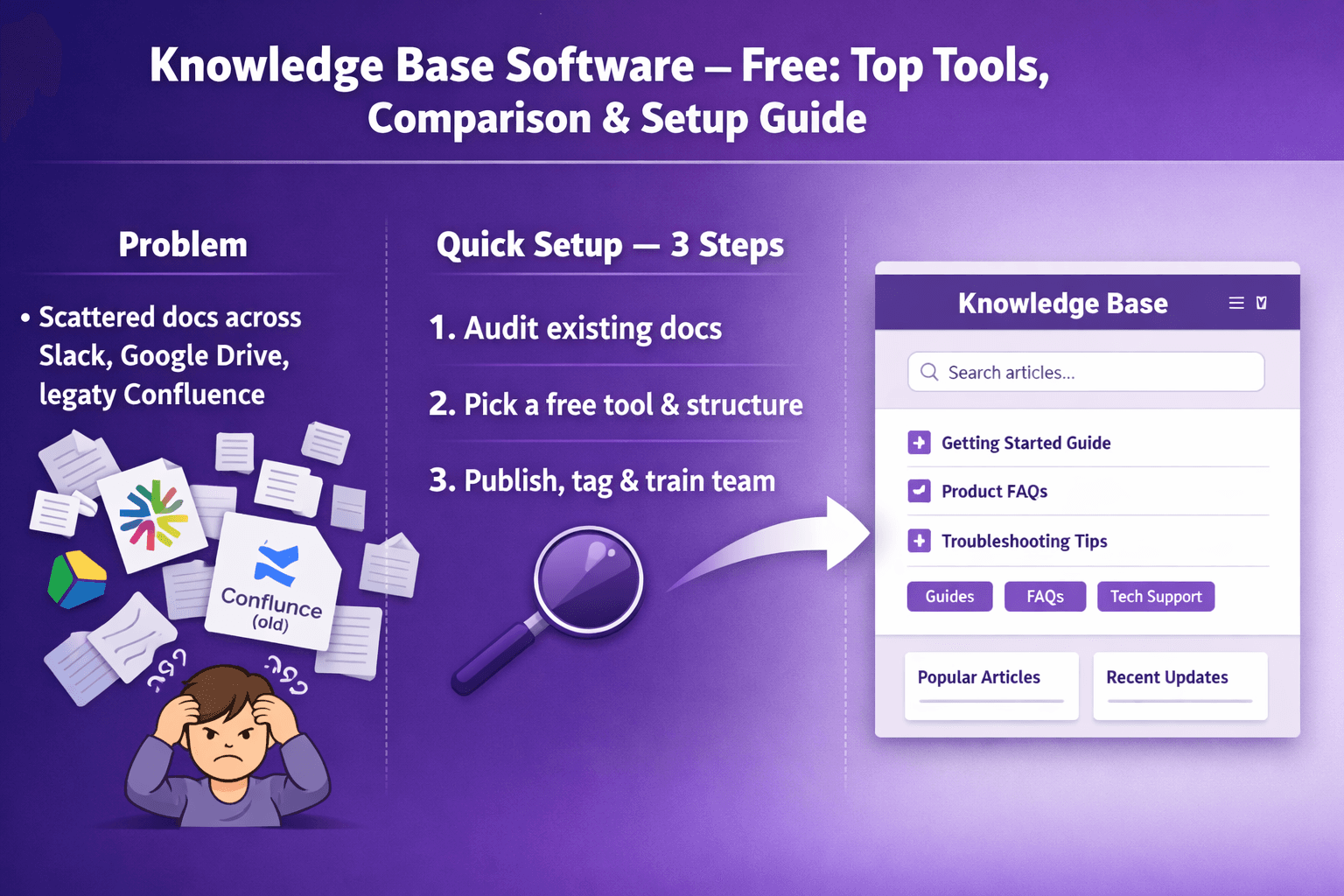
If you work in business analysis, consulting, or operations, you've probably lost hours hunting for a process doc that lives in someone’s Google Drive, or watched a new hire struggle because the steps for a support escalation are scattered across Slack and a 2018 Confluence page. A knowledge base fixes that problem. It makes institutional knowledge searchable, repeatable, and easier to share.
This article looks at knowledge base software free options — what that phrase actually means, where the tradeoffs live, and how to pick and set up a system that fits your team. You’ll get tool comparisons, setup checklists, migration tips, security guidance, and when to move from free to paid.
Quick framing: “knowledge base software free” usually refers to free tiers or open-source solutions. Free plans often limit users, storage, branding, advanced integrations, or support. That’s fine for pilots and small teams. The trick is picking a tool that will grow with you, has export options, and doesn't trap your docs.
What you’ll learn:
- How to evaluate free knowledge base tools for analysts, consultants, and ops
- The pros and cons of popular free options (Notion, Confluence, GitBook, Freshdesk, Zoho Desk, Slab, MediaWiki, DokuWiki)
- A step-by-step onboarding checklist and content strategy
- Security, compliance, and admin controls to watch for
- How to plan a migration path from free to paid without losing data
Ready? Let’s get practical.
Why Choose Free Knowledge Base Software for Your Team
There are three honest reasons teams choose free knowledge base options: cost, speed, and flexibility.
-
Cost savings and low-risk pilots
- Free plans let you run a proof of concept without budget approval. Want to test SOP documentation for new workflows or measure how much time support saves answering common questions? You can do that on a free tier and show hard numbers.
- Example: a 6-person consulting pod can document 15 core client onboarding steps in Notion or GitBook and measure resolution time improvements before asking for a paid license.
-
Speed of deployment and suitability for small teams or early-stage projects
- SaaS free plans and open-source tools can be standing in minutes to hours. No procurement, no legal review for hosted SaaS (most of the time), and you can start collecting real usage data.
- Example: An ops manager spinning up Freshdesk’s free plan to publish internal KB articles for field techs within a day.
-
Common constraints to expect
- Storage limits — often 1–5 GB or unmetered but with soft limits.
- User limits — free tiers may cap editors or named users (Confluence’s free plan historically capped at 10 users).
- Branding — you might have vendor logos or limited custom domain support.
- Integrations & APIs — SSO, advanced API access, or enterprise integrations may be locked behind paid tiers.
Use a free plan to validate the content model, searchability, and the ROI of reduced support load. If you can show a 20–40% reduction in repetitive questions, getting paid seats becomes a lot easier.
Evaluation Criteria: What Business & Tech Teams Should Test
When you evaluate a free knowledge base, test both the business-facing features and the technical knobs. Here’s a practical checklist.
Core features
- Search quality
- Test full-text search with typos, synonyms, and partial phrases. Populate 50–100 articles and search for common misspellings. Good search is worth more than fancy design.
- Taxonomy and navigation
- Can you create sections, categories, and nested pages? Will articles have multiple parents or tags?
- Editor experience
- WYSIWYG vs Markdown vs block editor. Analysts prefer structured templates (requirements, acceptance criteria) while ops teams want copyable step lists.
- Access controls
- Granular permissions (view/edit/publish) and sharing links. Can you restrict whole spaces to certain groups?
Integration and automation needs
- API access
- Does the free tier let you call the API? If not, you’ll have to manual-export content.
- Single sign-on (SSO)
- Free tiers often omit SSO. For contractors or regulated projects you may need SSO and SCIM.
- Helpdesk and workflow integrations
- Does the KB integrate with Zendesk, Freshdesk, Jira, Slack, Microsoft Teams, Zapier, or Make? Can you create KB articles from support tickets automatically?
Governance, analytics, and content lifecycle
- Analytics
- Page views, search queries, “did this help?” feedback, and low-traffic stale content reports are useful.
- Ownership and review workflows
- Can you assign maintainers, set review dates, or create editorial approval flows?
- Versioning and rollback
- Audit history for edits and the ability to restore previous versions.
For consultants and analysts: prioritize search, templates, and export options. For operations: prioritize access controls, integration with ticketing and runbooks, and retention/versioning.
Top Free Knowledge Base Software Options (Comparison)
Here are eight solid options: a mix of hosted SaaS free tiers and open-source self-hosted choices. The profiles are practical snapshots and recommended fits. Note: free-tier details can change; double-check vendor pages for the most current limits.
Short profiles and key free-tier limits
-
Notion
- Profile: Flexible block-based workspace. Great for docs, wikis, and lightweight KBs.
- Free-tier limits (typical): Free for personal use and small teams with basic sharing. Unlimited pages and blocks for personal, limited file uploads for team plans.
- Good fit: Business analysts and consultants who want rapid documentation, templates, and databases.
- Example use: Requirements tracker + step-by-step SOPs linked to meeting notes.
-
Confluence (Atlassian)
- Profile: Classic wiki for teams, tight Jira integration.
- Free-tier limits: Free for up to 10 users, limited to around 2 GB storage on cloud free plan (check current docs).
- Good fit: Ops teams and tech consultants who already use Jira and want structured spaces and permissions.
- Example use: Release runbooks and incident retros stored in spaces mapped to projects.
-
GitBook
- Profile: Documentation-first SaaS with a clean reading experience.
- Free-tier limits: Free for personal and small teams with limited collaborators; public docs free.
- Good fit: Consultants creating client-facing user guides or engineers documenting internal APIs.
- Example use: Client onboarding manuals and API docs with versioning.
-
Freshdesk (Knowledge base / Freshdesk Free)
- Profile: Helpdesk with integrated knowledge base.
- Free-tier limits: Free helpdesk plan includes a basic knowledge base and canned responses (limits vary).
- Good fit: Small support teams wanting ticket-to-article workflows.
- Example use: Support KB that auto-suggests articles to agents working tickets.
-
Zoho Desk
- Profile: Ticketing + knowledge base with a free plan for small teams.
- Free-tier limits: Free for up to 3 agents in some plans; knowledge base builder included.
- Good fit: Small ops and support teams looking for an integrated ticketing and KB option.
- Example use: Internal KB plus public help center for customers.
-
Slab
- Profile: Modern knowledge hub focused on internal teams and knowledge sharing.
- Free-tier limits: Free for small teams and personal use with limited features.
- Good fit: Cross-functional teams that want a clean, collaborative wiki for SOPs and playbooks.
- Example use: Cross-team onboarding playbooks and FAQs.
-
MediaWiki (self-hosted)
- Profile: Open-source wiki software (used by Wikipedia).
- Free-tier limits: Self-hosted—no licensing costs but you manage infrastructure.
- Good fit: Organizations that need total control, no vendor lock-in, and large-scale public docs.
- Example use: Company knowledge archive or public-facing documentation site.
-
DokuWiki (self-hosted)
- Profile: Lightweight open-source wiki, file-based storage.
- Free-tier limits: Self-hosted, low resource needs.
- Good fit: Small teams that want simple wikis without a database or heavy maintenance.
- Example use: Internal SOPs for field operations with quick backup and restore.
Side-by-side comparison
| Tool | Free Users | Storage | Search | Integrations | Mobile |
|---|---|---|---|---|---|
| Notion | Personal unlimited / Team basic | Limited file upload ~5–10 MB per file on free personal; team varies | Good (blocks, pages, inline) | Zapier, Slack, API on paid plans | iOS/Android apps |
| Confluence | Up to 10 users (cloud free) | ~2 GB (cloud free) | Strong full-text search + page hierarchy | Jira, Slack, Bitbucket | iOS/Android |
| GitBook | Small teams free / public unlimited | Varies — public docs unlimited | Good, docs-first search | GitHub, Slack, Zapier | Web + mobile-friendly |
| Freshdesk | Free helpdesk plan includes KB | Limited | Basic search, recommended articles | Email, Slack, Zapier | Mobile support apps |
| Zoho Desk | Free for up to 3 agents | Varies | Decent search | Zoho Suite, Slack, Zapier | iOS/Android apps |
| Slab | Free small team | Varies | Good search + article context | Slack, Google SSO (paid for SSO) | Mobile apps |
| MediaWiki | Unlimited (self-hosted) | Depends on host | Good with extensions | Custom via extensions | Responsive themes |
| DokuWiki | Unlimited (self-hosted) | Depends on host | Basic search, plugins available | Plugins for auth, backups | Responsive themes |
Note: These are summary figures. Free tiers change, so always check the vendor’s current docs. The right pick depends on whether you need tight helpdesk integrations, developer-friendly docs, or a simple internal wiki.
Recommended fit by role
- Business analysts: Notion or GitBook. Both let you mix structured data (tables, databases) and long-form docs. Use Notion when you want ad-hoc templates and internal collaboration; use GitBook for cleaner public documentation and versioning.
- Consultants: Notion, GitBook, or Slab. Consultants need fast deliverables and client-friendly output. GitBook makes client-facing docs look professional without extra design work.
- Operations managers: Confluence, Freshdesk, or self-hosted wikis. Ops teams often require permissions, runbooks, and incident retros — Confluence integrates well with Jira and has the space-based structure ops need.
- Automation-adjacent roles: Prefer tools with APIs and webhooks — GitBook, Notion (API), and Freshdesk.
If you have lots of training videos and screen recordings, mention tools like Lyren AI. Lyren AI extracts step-by-step documentation from UI recordings, generates process flow diagrams, and offers an AI assistant that can answer questions over your docs. It’s a paid platform with a 7-day free trial that’s useful when you want to convert video-based training into searchable, structured knowledge fast.
Step-by-Step Setup and Best Practices
Getting a knowledge base off the ground isn't just about picking a tool. It’s about structure, ownership, and how you write. Here’s a practical onboarding and content setup playbook.
Quick onboarding checklist (first 7–14 days)
- Define scope and pilot team
- Pick 1–3 processes to document (e.g., new-hire onboarding, incident triage, client onboarding sequence).
- Keep the pilot team small: 3–6 authors and 10–20 readers.
- Choose a tool and create spaces
- Create spaces or projects by domain: Sales Ops, Support, Engineering Runbooks.
- Create templates
- Make a “How-to” template, a “Runbook” template, and a “Policy” template.
- Sample How-to template (Markdown):
Title: [Clear action e.g., Reset user password]
Purpose: [Why this exists]
Audience: [Support/IT/Sales]
Pre-reqs: [Access, tools]
Steps:
1. Step one — include screenshots.
2. Step two — exact button names and timing.
Notes: [Warnings, rollback steps]
Owner: [Name, email]
Review date: [yyyy-mm-dd]
- Assign roles
- Owners who maintain content, editors who can update, and readers with view-only access.
- Migrate or add 5–10 high-value articles
- Start small: the top 10 “what we repeat every week” items.
- Measure baseline metrics
- Track how many support questions the docs could answer and current ticket volumes.
Content migration tips
- Prioritize content to migrate
- Start with “high frequency, high effort” items: anything that takes an agent more than 5 minutes to answer repeatedly.
- Use automated imports when possible
- Notion and GitBook can import Markdown, HTML, and Confluence exports. For large Confluence dumps, use their native export/import or API.
- Clean content as you migrate
- Remove stale sections, standardize language, and add metadata like tags/owners.
- Keep screenshots and video snippets current
- For UI-heavy processes, a single annotated screenshot per step reduces ambiguity. If you have screen recordings, tools like Lyren AI can convert them to step-by-step docs automatically — a real time-saver.
Organizing articles for faster searchability
- Use descriptive titles and consistent prefixes
- Use verbs and outcomes: “Reset password (Windows AD) — Support”.
- Add metadata: tags, categories, and short summaries for each page
- Tag examples: onboarding, billing, tier-2, escalation.
- Keep a concise summary at the top
- Most readers scan; a one-paragraph TL;DR helps them know they’re in the right place.
- Anchor key steps
- Use headings and clear numbering that search can surface (H2, H3). A page with "Step 3: Verify..." turns up in partial searches.
Search tuning, tagging strategy, and editorial workflow
- Search tuning
- Capture common queries and typos via analytics. If many searches for “unathorized login” (typo), add synonyms and a redirect note on relevant pages.
- For Elastic-based or advanced search, tune weights for title, headings, and tags.
- Tagging strategy
- Keep tags to a manageable set (20–40). Example groups: Team, Process Stage, Tool, Audience, SLA impact.
- Enforce tag governance — a small canonical list of tags prevents sprawl.
- Editorial workflow
- Define review cadence: critical docs every 3 months, policies every 12 months.
- Use lightweight approvals: author writes, peer reviews, owner publishes. Tools like GitBook and Confluence support page-level comments and approvals.
- Use “Last reviewed” fields and automated reminders (Zapier or your platform’s automation) to ping owners before a review date.
Real example: An operations manager at a fintech firm used GitBook for runbooks and paired each runbook with a Slack channel. When a runbook was updated, a bot posted release notes and linked to the updated steps. That cut mean time to remediation by 27% in six months because the team always used the latest steps.
Security, Compliance, and Admin Controls
Free tiers often have limited security features. Here’s what to check and how to mitigate risk.
Assessing access controls, SSO, encryption and data residency for free tiers
- Access controls
- Confirm if you can set page-level permissions and groups. If you can’t, consider compartmentalizing content in separate spaces that can be restricted.
- Single sign-on (SSO)
- Free plans frequently omit SSO. If you have contractors or sensitive content, restrict access via your identity provider or host a self-hosted solution.
- Encryption and data residency
- Check whether data at rest and in transit is encrypted (TLS is standard). For regulated industries, you may need regional data residency — often only on paid plans.
Practical mitigation: Keep sensitive data (passwords, PII) out of a free KB. Use secrets managers (1Password, LastPass, HashiCorp Vault) and reference them with non-sensitive pointers in the KB. If an article must include sensitive details, lock it behind paid-tier SSO or store it in a private, access-controlled repository.
Audit logs, versioning, and retention policies
- Audit logs
- Free tiers might not give you admin-level audit logs. For consultants building compliance artifacts, audit trails are critical.
- Versioning
- Ensure the system can roll back to previous versions. If not, export periodic backups.
- Retention
- Confirm retention policies: Can articles be auto-archived? Does deletion go to a trash bin for recovery?
For example, a healthcare consultancy moved its patient-facing SOPs to a paid Doc platform because the free tier lacked audit logs for compliance with client contracts.
When to upgrade: compliance, SLAs, and enterprise governance triggers
Upgrade when:
- You need SSO and SCIM (around 10–50 users this becomes important).
- You need audit logs for compliance or billing audits.
- You require guaranteed uptime SLAs or priority support for production-critical docs.
- You must control data residency or need HIPAA/GDPR contracts.
A practical trigger: If an article is part of a client deliverable that must be signed off and tracked, it’s time to be on a paid plan with versioning and audit trails.
Scaling, Integrations, and Migration Pathways
Planning for growth early saves headaches later.
How to plan for growth from free to paid tiers without losing data
- Pick a tool with export options
- Prefer Markdown, HTML, or PDF exports. GitBook and Notion both support markdown/HTML export.
- Use a canonical content model
- Keep articles modular (one topic per page) and avoid tool-specific features if portability matters (e.g., avoid heavy inline databases if you might move to a static site).
- Automate backups
- Set up weekly exports via API or scheduled jobs. If your tool lacks an API on free tier, set a calendar reminder for manual export.
Migration checklist:
- Export all content (Markdown/HTML/PDF) and attachments.
- Export user/permission lists where possible.
- Map tags/categories from source to target.
- Rebuild templates on target platform.
- Run a pilot import and validate links, images, and attachments.
- Cut over users and update redirects.
Common integrations: CRM, ticketing systems, automation platforms
- Ticketing: Zendesk, Freshdesk, Zoho Desk — KB articles should be linkable from tickets; ideal platforms auto-suggest relevant articles to agents.
- CRM: Salesforce or HubSpot — for customer-facing KBs, linking articles to account records helps agents use the right content.
- Chatbots and virtual assistants: Many modern chatbots pull KB content for self-serve flows. If you plan to add an AI assistant, exportable, structured content is best.
- Automation: Zapier, Make, n8n — use these for reminders, content reviews, and syncing article publish events to Slack or Teams.
Practical example: A support team used Zapier to create a GitBook draft when a ticket was labeled “New KB.” That connected subject matter experts to authors quickly and reduced the time from idea to published article from weeks to days.
Export options and migration checklist to avoid vendor lock-in
- Preferred export formats: Markdown, HTML, OpenDocument, or JSON.
- Migration checklist (practical):
- Confirm export includes attachments and images.
- Check internal link behavior in exports — relative links are easier to rewire.
- Preserve metadata: tags, author, creation and modification timestamps.
- Test import into the target environment with a subset first.
If export is limited or proprietary, consider building a scraper to extract content or using the provider’s API. Keep in mind rate limits and TOS.
Conclusion
Selecting a free knowledge base should feel tactical: pick a tool that lets you validate the idea fast, measure the business impact, and move cleanly to a paid tier if you need advanced security, SSO, or audit trails.
Actionable next steps:
- Pilot plan (4 weeks)
- Week 1: Pick tool and 3 pilot processes.
- Week 2: Create templates and migrate 10 articles.
- Week 3: Tune search and add tags.
- Week 4: Measure ticket deflection and user satisfaction.
- Evaluation checklist
- Search quality test, export test, backup test, SSO requirement, audit log needs.
- Upgrade signals
- Need for SSO/SCIM, audit logs, data residency, or multiple integrations.
Resources you can use right away:
- Templates: How-to, Runbook, and Policy (sample provided above)
- Comparison matrix: Use the table here as a starter and add columns for “API on free tier” and “export formats.”
- Where to get help: Start with platform docs, community forums, or consultancies who specialize in knowledge management.
If your documentation is heavy on video or screen recordings, consider a tool like Lyren AI to convert those recordings into structured step-by-step docs, generate process diagrams, and provide an AI assistant that answers questions about your documents. That’s a fast path from scattered training videos to a searchable, reusable knowledge base that actually reduces ramp time.
Go build something people can find. The time you spend structuring knowledge now pays back in fewer repetitive questions, faster onboarding, and fewer accidental errors when staff follow outdated steps.