25 Knowledge Base Examples: Templates, Use Cases & Best Practices
Introduction
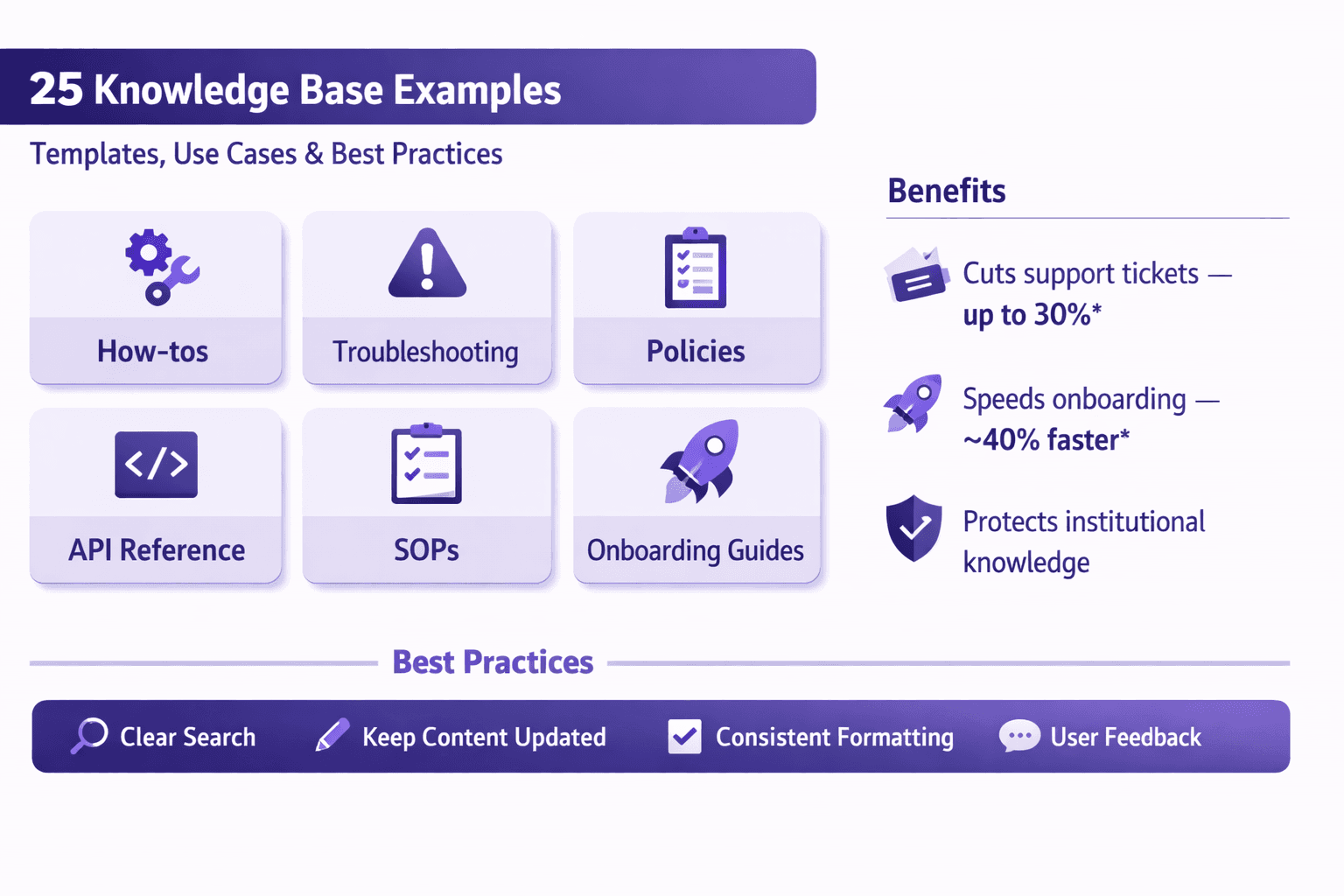
A knowledge base is a centralized collection of information—how-tos, troubleshooting steps, policies, API references, SOPs—that helps people solve problems without calling support. Good ones cut support traffic, speed up onboarding, and keep institutional knowledge from walking out the door when someone leaves.
Why do examples matter? Because the structure and tone you pick decide whether your docs are useful or just wallpaper. Seeing real, practical knowledge base examples gives you templates you can copy, adapt, and roll out quickly.
Who this article is for: business analysts, consultants, operations and automation folks, product managers, and anyone building process documentation or training programs. If you work with automation (RPA, workflow automation, process mining) or manage onboarding, this will be especially useful.
What you'll get: 25 concrete knowledge base examples organized by use case, ready-to-use templates, search and taxonomy best practices, tool recommendations (including how Lyren AI fits), a rollout checklist, and KPIs to measure success. No fluff—just practical advice you can start using tomorrow.
Why Knowledge Bases Matter for Modern Organizations
Good knowledge bases do more than store text. They produce measurable business outcomes.
- Reduce support costs. Companies often cut incoming tickets by 20–40% after publishing clear self-help articles and smart FAQs. Real numbers: Zendesk reports many customers see 20–30% deflection; you should expect similar ranges depending on traffic and content quality.
- Speed onboarding. New hires with a searchable SOP library ramp 30–60% faster than those relying on shadowing. Imagine cutting a two-week training program down to 7–10 days for a new analyst.
- Preserve institutional knowledge. Documented processes prevent "tribal knowledge" loss when people leave.
Operational benefits you’ll actually notice:
- Standardization. Everyone follows the same steps, whether they’re in New York or Bangalore.
- Auditability. For compliance-heavy teams (finance, healthcare), an auditable KB with version history is priceless.
- Automation readiness. If your docs are structured, they can feed automation tools, test suites, and AI assistants.
Common pain points you'll run into:
- Bad search. Users type a query and get zero hits or three irrelevant articles.
- Outdated content. Docs that haven’t been touched in two years can mislead more than they help.
- Ownership gaps. No one knows who owns an article, so stale content piles up.
You’ll see practical fixes for these later.
25 Knowledge Base Examples (Organized by Use Case)
Here are 25 real examples you can model. I grouped them by use case so you can pick what fits your org.
Customer support (external)
- Troubleshooting article: "Why payment failed: Credit card decline vs. 3DS vs. gateway errors" — includes error codes, screenshots, and expected user flow.
- FAQ collection: "Account limits, pricing, and cancellation" — short Q&A bullets with links to related pages.
- Tiered resolution flow: "Password reset flow" — a decision tree showing self-serve steps, then escalation path to support with required diagnostics.
Example: Twilio and Stripe have great payment troubleshooting docs—short, actionable, with sample errors.
Product documentation (external & internal)
- Feature guide: "How to create a dashboard" — goal, prerequisites, walkthrough, and tips for power users.
- API reference: Complete endpoint list, cURL examples, and SDK links. Model after Stripe's API docs.
- Release notes and changelogs: chronological list with "impact" tags (breaking, migration needed, optional).
Real-world tip: Put SDK snippets (JavaScript, Python, curl) on every API endpoint page.
Internal operations
- SOP: "Close-of-business financial reconciliation" — steps, owner, schedule, and checklist.
- Runbook: "Database failover" — include monitoring triggers (e.g., 5xx spike), commands, and post-mortem template.
- Incident response playbook: "Severity 1 outage" — roles (commander, scribe), communication templates, run-through checklist.
- Onboarding checklist: "New hire IT setup" — account creation, hardware provisioning, first-week learning path.
Example: SRE teams at companies like Shopify publish runbooks with explicit commands, expected outputs, and rollback steps.
Sales & marketing enablement
- Battlecard: "Competitor X vs. Our Product" — quick pros/cons, pricing comparison, and rebuttals for objections.
- Product comparator: "Feature matrix for enterprise vs. pro plans" — short bullets and checkboxes.
- Demo script: "30-minute demo template" — timeline, key screens, and success metrics for each demo.
Sales love short battlecards that fit on one page—no fluff.
HR and admin
- Policy doc: "Remote work allowance" — eligibility, ceiling, expense process.
- Benefits FAQ: "How to enroll in health insurance" — step-by-step instructions and required documents.
- Equipment request procedure: Mac vs. Windows provisioning, timelines, and tracker links.
HR docs need version control so employees always see the current policy.
Engineering & DevOps
- Architecture diagram library: annotated diagrams for each major service.
- Deploy runbook: "Deploy to production" — pre-checks, CI tools commands, rollback plan, and post-deploy verification.
- Code snippet library: common utility functions, patterns, and sample tests.
Include links to PR templates and linting rules to keep deploys predictable.
Automation-adjacent examples
- RPA scripts library: cataloged automation scripts (UiPath automation for invoice processing), with inputs/outputs and maintenance notes.
- Automation decision matrix: when to automate, tech choice (RPA vs API vs workflow), expected ROI.
- Trigger-to-action maps: "If a Lead's status changes to Qualified → send Slack message → create task in Asana" with sample JSON/webhook payloads.
- Process mining reports + SOPs: annotated process maps and the documentation that standardizes the 'ideal' path.
- Integration recipes: "Salesforce → HubSpot two-way sync" — field mappings and conflict resolution rules.
- Test data and mock service catalog: examples for QA to avoid calling prod systems during automation tests.
Lyren AI example: process videos automatically converted into step-by-step articles and flow diagrams. That removes the manual screen-capture-to-doc grind.
Ready-to-Use Templates and Article Formats
Templates save time and enforce consistency. Below are formats you can copy into Confluence, Notion, or your docs platform.
Problem-solution template
Use when users search symptoms and want a quick fix.
Title: [Short: symptom — e.g., "Login error: 'Invalid credentials'"]

TL;DR
One-sentence summary and quick fix.

Symptoms
- What the user sees (error messages, screenshots)
- Where it happens (web/mobile/backend)

Root cause
- Likely cause(s) ranked by probability

Step-by-step fix
1. Step one (command/screenshot)
2. Step two
3. Final verification (expected result)

If that doesn't work
- Escalation steps and required logs
- Contact support template (copy-paste)

Related articles
- Link to config/settings
- Link to known issues
How-to tutorial template
Best for walkthroughs and feature guides.
Title: [Action: e.g., "How to set up SSO with Okta"]

Goal
- What you'll achieve in <60 words>

Prerequisites
- Accounts, permissions, tools, estimated time

Steps
1. Step 1 (screenshots, code snippets)
2. Step 2
3. Final step and verification

Troubleshooting
- Common errors and fixes

Estimated time: 20 minutes
Author and last reviewed: @username — YYYY-MM-DD
API doc template
API docs should be consumable by developers quickly.
Endpoint: GET /v1/payments

Description
- What it does and typical use-case

Parameters
- id (string, required): payment id
- limit (int, optional): default 50

Request example (curl)
curl -X GET "https://api.example.com/v1/payments?id=abc123" -H "Authorization: Bearer <token>"
Response example (JSON) { "id":"abc123", "status":"settled", "amount":1000 }
Error codes
- 400: bad request
- 401: unauthorized
- 429: rate-limited (rate limit: 1000 req/min)
SDKs & links
- JavaScript, Python, curl samples
### Runbook / SOP template
Critical for ops and compliance.

```markdown
Title: [e.g., "DB Failover Runbook"]

Scope
- Systems covered, outage conditions

Roles & responsibilities
- Incident Commander: @name
- Scribe: @name
- Communications: @name

Preconditions
- Monitoring alert threshold
- Tools required (kubectl, psql)

Step sequence
1. Confirm the alert (how)
2. Isolate the component (exact commands)
3. Failover steps
4. Post-failover verification (queries, dashboards)

Rollback plan
- How to revert and expected impacts

Post-incident
- Template for post-mortem, data to collect, ownership of RCA
Practical tip: store templates in a "Templates" category so editors can copy and fill quickly.
Designing Structure, Taxonomy and Search Optimization
A KB is only useful when people find the right article fast. Structure and search UX matter as much as content.
Organizational models: hierarchical vs. faceted taxonomies
- Hierarchical (tree): good for formal SOPs, compliance, and smaller KBs. Example: Products > Billing > Invoices.
- Faceted (tags/filters): better for complex products with overlapping attributes (platform, role, severity). Example: Tag an article with product:API, audience:developer, status:deprecated.
My take: start hierarchical for the first 100 articles, then layer in facets as things grow. Too many tags early is chaos.
Metadata and tagging strategies
- Add these metadata fields: audience (support/customer/engineer), product area, last-reviewed date, owner, severity (how urgent the doc is), maturity (draft/published).
- Use consistent tag naming. Don't mix "api-docs" and "api_docs". Pick a convention and enforce it.
Automation trick: use a webhook or CI job to flag articles with last-reviewed > 180 days as "stale" and ping the owner.
Search UX tips
- Add synonyms and redirect rules. If users type "2FA" and your content says "two-factor authentication," map "2FA" to the same pages.
- Surface suggested articles as users type. Tools like Algolia and Elastic do this well.
- Use search intent signals: if many users search a phrase but click the same doc, boost that doc for the query.
- Enable "Did you mean?" and fuzzy matching for typos.
- Show related content and "next steps" at the bottom of articles to reduce friction.
Real example: Stripe's docs often show related endpoints and "See also" to guide devs through a common path.
Writing for scannability
- TL;DR first. Busy people skim.
- Use clear headings and short paragraphs.
- Numbered steps for procedures. Bullets for lists.
- Use code blocks for commands and JSON.
- Add one-sentence "Expected results" after steps.
- Keep each article focused on one task. If it's more than 800–1200 words, consider splitting.
Opinion: you don’t need to be poetic. Be precise. Use verbs. Start headings with actions: "Set up SSO", not "SSO Overview".
Tools, Integrations and Automation to Scale Knowledge
Picking tools depends on team size, security, and workflow. I'll break options down and give real names.
Selecting platforms: hosted KBs, wiki platforms, docs-as-code
- Hosted KBs: Zendesk Guide, Intercom Articles, Help Scout. Pros: quick setup, built-in search and analytics. Cons: less control over docs-as-code workflows.
- Wiki platforms: Confluence, Notion. Pros: collaborative editing and easy for non-devs. Cons: search may be weaker, and exporting can be clunky.
- Docs-as-code: Docusaurus, MkDocs, Read the Docs, GitBook (also hybrid). Pros: versioned, CI integration, easy code snippets. Cons: needs dev workflow and review process.
If you need to convert training videos into step-by-step docs, Lyren AI sits nicely here—process screen recordings to produce structured articles and flow diagrams. That reduces manual writing and keeps UX screenshots current.
Integrations
- Chatbots: Intercom, Drift, or an AI assistant over your KB (Lyren AI has an assistant option) to surface articles in chat.
- Ticketing: Connect with Zendesk, Jira Service Management, Salesforce so agents can insert KB links directly into tickets.
- CI/CD: Docs-as-code teams will use GitHub Actions to preview and deploy docs. Set up a preview environment for reviewers.
- SSO: Okta, Azure AD for secure access and single sign-on to internal KBs.
- Monitoring: PagerDuty and Datadog hooks can reference runbook links in alerts.
Practical example: attach a runbook link to a PagerDuty escalation so the responder has the exact runbook when the alert fires.
Automation opportunities
- Auto-suggest via NLP: use Elastic, Algolia, or an AI layer to auto-suggest articles based on ticket content. Intercom and Zendesk have early versions; Lyren AI can answer natural language questions over your processed video-derived docs.
- Content aging workflows: create automation that flags old articles and assigns review tasks. Use Jira tickets or Asana tasks for review cadence.
- Templates & macros: use editor macros to auto-fill metadata (owner, review date) when creating articles.
- Auto-generated flow diagrams: if you have process recordings, tools like Lyren AI can create process flow diagrams automatically, saving hours.
Example toolset
- knowledge base software: Zendesk Guide, Help Scout, Confluence, Notion, Lyren AI.
- Search engines: Algolia, Elasticsearch.
- Analytics: Google Analytics for public KBs, Zendesk analytics, or Mixpanel for deeper interaction metrics.
- CMS/Docs plugins: GitHub, GitLab, Docusaurus.
- Automation & RPA: UiPath, Automation Anywhere, Microsoft Power Automate.
- Monitoring & incident: PagerDuty, Datadog.
My opinion: mix a collaborative editor (Confluence or Notion) with a lightweight docs-as-code pipeline for developer-heavy content. Add an AI layer for videos and process automation (that’s where Lyren AI shines).
Implementation Roadmap, KPIs and Governance
You can’t patch a KB into production overnight. Here’s a pragmatic rollout.
Step-by-step rollout
- Audit: Export existing docs from Confluence, Notion, Google Drive, and local files. Triage into: Keep, Merge, Rewrite, Retire.
- Prioritize: Rank articles by impact — frequent support queries, high-risk processes, and onboarding essentials. Use Pareto: 20% of articles will solve 80% of issues.
- Draft templates: Pick 3 article templates (problem-solution, how-to, runbook). Standardize metadata.
- Pilot: Pick one product area or department (support or ops) and publish 50–100 articles. Run a 4-week pilot with tracked KPIs.
- Full launch: Once pilot shows improvement, expand in sprints (2–4 week sprints) by area.
- Ongoing: Implement review cadence and content operations.
Checklist (quick):
- Audit complete
- Templates ready
- Ownership assigned for top 100 articles
- Search configured (synonyms, redirects)
- Pilot launched
- Integrations with ticketing/chat in place
Roles and SLAs
- Content owner (one per article): responsible for accuracy.
- Reviewer: technical or legal reviewer for specific content.
- Publisher: person with permissions to publish and set metadata.
- SLA examples:
- Critical runbook updates: owner must review within 7 days of change.
- General articles: review every 90 days.
- Stale articles (>180 days): auto-flag and create a review ticket.
Make SLAs simple and enforce with automation: create a ticket when review dates pass.
Key metrics
Track these to show ROI:
- Article views: volume of traffic to each doc.
- Deflection rate: number of support tickets avoided because users found an article (you can measure via “helpful” links from your chat widget to article clicks).
- Time-to-resolution: average time to close tickets with and without KB links.
- Search success rate: percent of searches that lead to a click on an article.
- Feedback score: user “Was this helpful?” and comments.
- Mean time to update (MTTU): how long it takes to update content after a product change.
Example KPI targets for a pilot:
- Increase search success rate to 60% within 8 weeks.
- Reach a support deflection of 20% for the pilot product.
- Achieve average article feedback of 4/5 or better.
Continuous improvement
- Feedback loops: add feedback widgets on every article. Triage low-rated content weekly.
- A/B testing: try two article formats (short vs. long) and compare time-on-page, searches after reading, and support ticket deflection.
- Content retirement: mark deprecated articles as "archived" with an automatic redirect to the new article, and keep the archived doc for audit logs.
Small wins add up. If an article reduces 10 tickets/month where each ticket costs $10 to resolve, that's $1,200/year saved per article.
Conclusion
Practical knowledge base examples and templates aren't just documentation—they're operational leverage. Use the 25 examples above to seed your library. Start with three prototype articles: one troubleshooting piece, one runbook, and one onboarding checklist. Measure views, deflection, and search success, and run a 4–8 week pilot.
If you want to speed up doc creation from training videos and UI recordings, try a tool that converts screen recordings into step-by-step articles and flow diagrams. Lyren AI does exactly that—plus an AI assistant that answers questions over your docs. That’s especially useful if you have lots of internal process videos or repetitive UI tasks that need documentation.
Practical next steps
- Pick 3 articles to prototype (support, ops, onboarding).
- Choose a template and assign owners.
- Run a pilot for 4–8 weeks and measure the KPIs mentioned above.
Resources & further reading (internal)
- Copy the templates above into your KB "Templates" folder.
- Use an audit spreadsheet with columns: title, owner, last reviewed, priority, action.
- Tool comparison notes: try a mix—Confluence or Notion for collaborative drafts, docs-as-code for API docs, and an AI layer (like Lyren AI) for video-to-doc conversion and Q&A.
You’ll get messy at first. That’s fine. Start small, make real fixes to the most painful gaps, and build governance that keeps things from drifting. Real documentation is never “done”—it’s a product you ship in iterations.