Internal Knowledge Base Software: Practical Guide for Analysts & Ops
Introduction
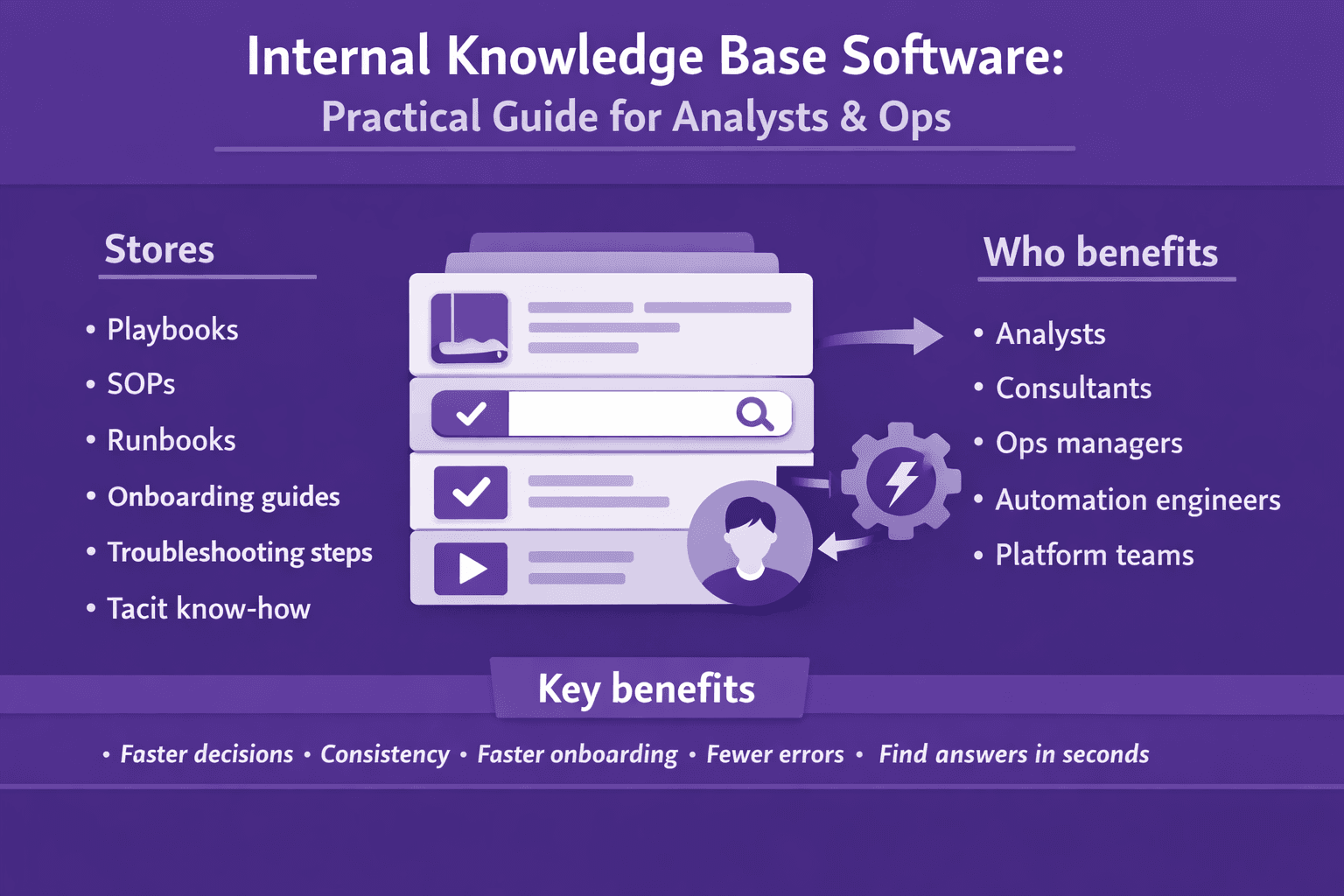
Internal knowledge base software is the system your team uses to store, search, and act on the company’s operational knowledge: playbooks, SOPs, runbooks, onboarding guides, troubleshooting steps, and the tacit know-how that lives in people’s heads. It’s what business analysts, consultants, ops managers, automation engineers, and platform teams turn to when they need a reliable, repeatable answer — fast.
Who benefits? Everyone who depends on repeatable processes and fast decisions: analysts running root-cause investigations, consultants documenting client processes, ops teams responding to incidents, RPA developers building bots, and service teams fielding tickets. If your org wastes time hunting for instructions, re-creates process docs from memory, or treats onboarding like a scavenger hunt, you need this.
A strategic knowledge base speeds decision velocity, reduces toil, and keeps institutional knowledge usable when people leave or change roles. This article covers how to pick the right internal knowledge base software, implement it, integrate it with your tools, measure value, and set up governance so it stays useful. Expect practical checklists, real examples, and step-by-step guidance you can use this week.
Why Internal Knowledge Base Software Matters
You might think a few shared Google Docs and a Confluence space are enough. Sometimes they are. Most times they’re not. Here’s what a focused internal knowledge base software does for operations and analysis.
- Reduce time-to-answer and ticket volumes through self-service
- Real example: a mid-size SaaS company I worked with had 300 support tickets/day. After launching a structured KB with targeted search and suggested articles in the ticket form, they achieved 35% ticket deflection within 3 months. That meant fewer manual triages and faster response for complex tickets.
- Preserve institutional knowledge and accelerate onboarding
- Typical case: onboarding that used to take 8 weeks dropped to 4–5 weeks when onboarding flows, role-specific checklists, and screen-recording-derived procedures were available in one place. New hires stop interrupting SMEs every few minutes.
- Support compliance, auditability, and consistent process execution
- For finance, security, and legal teams, a single source of truth with version history and sign-off trails avoids audit headaches. If you have ISO, SOC2, or internal change reviews, your KB becomes evidence.
- Enable faster stakeholder alignment and better consulting outcomes
- Analysts and consultants can point to documented processes during stakeholder meetings. That creates less back-and-forth and makes project scoping more accurate.
In short: a well-built internal knowledge base software reduces repetitive work, keeps processes consistent, and speeds decision-making across teams.
Core Features and Functionality to Look For
If you’re evaluating knowledge base platforms, here's what actually matters in day-to-day use.
Robust search and semantic discovery
Search is everything. Your KB is only useful if people find the right answer quickly.
- Full-text search plus semantic search. Look for platforms that support both keyword search and vector-based embedding search so natural-language questions work.
- Synonyms, misspellings, and phrase matching. People will type “how to onboard a client” or “client onboarding steps”; both should return the same page.
- Faceted filters: by product, region, team, and process stage.
- Example: Lyren AI processes screen recording content into step-by-step instructions and indexes semantic vectors so queries like “how to export an invoice in the billing UI” return a specific recorded step and a short explain-it-in-plain-English answer.
Structured content types, templates, versioning, and relationships
Free-form docs are messy. Structure matters.
- Templates for SOPs, incident runbooks, onboarding checklists, and change logs.
- Content fields: summary, steps, expected outcome, rollback plan, owner, last tested date.
- Version control and read-only snapshots for completed releases or audited states.
- Content relationships: link a runbook to the corresponding Jira Epic, process diagram, and video recording.
Example template fields:
Title: [short]
Purpose: [1–2 lines]
Scope: [systems/users]
Steps: [numbered, with screenshots or recordings]
Expected result: [state after success]
Rollback: [steps]
Owner: [name/team]
Last reviewed: [date]
Access controls, SSO, security, and compliance features
Not everyone should see everything.
- Granular access controls: per-article, per-folder, or by tag/metadata.
- SSO: Okta, Azure AD, Google Workspace.
- Audit logs: who read or edited what and when.
- Encryption at rest and in transit; customizable data retention policies.
- Compliance features for SOC2 or GDPR: export logs, retention rules, and e-discovery.
Analytics, audit logs, and AI-assisted authoring or summarization
You need to know if your KB is actually used and accurate.
- Search analytics: common queries, no-results searches, click-through rates.
- Article analytics: views, last updated, helpful/unhelpful feedback.
- AI features: auto-summarize long procedures, suggest step titles, generate diagrams from text, or transcribe and extract steps from screen recordings.
- Practical point: AI-assisted generation is great, but enforce human review workflows. AI writes draft; SME approves.
Selection Checklist for Business Analysts and Ops
When you evaluate vendors, use a checklist and weight items that impact your workflows. Here’s a practical one you can use in a spreadsheet.
User and role requirements
Define who will do what.
- Roles: editors, reviewers, consumers, external partners (vendors/clients).
- Permissions matrix: who can publish, who can approve, who can archive.
- Ask: Can I create an “editor pool” with peer review approvals? Can I restrict content so contractors only see client-specific SOPs?
Integration needs
List the tools you need the KB to work with.
- Ticketing: Jira, Zendesk, ServiceNow — integration should suggest KB articles within ticket forms and allow linking back to articles from tickets.
- Chat: Slack, Microsoft Teams — ability to call a bot or slash command to surface KB content.
- CRM: Salesforce, HubSpot — link KB content to accounts or contact records.
- RPA tools: UiPath, Automation Anywhere, Power Automate — provide API endpoints or export formats for bots to read step-by-step instructions or process flows.
- Example endpoint: a webhook from Jira that attaches the article used to resolve a ticket and increments article usage metrics.
Scalability, performance, licensing/pricing, and vendor support
Think long-term.
- Scalability: Can the platform handle tens of thousands of articles and millions of vector embeddings?
- Performance: search latency under 200ms for typical queries.
- Pricing: per-user vs. per-seat vs. per-article vs. per-embedding. Make sure hidden costs (vector storage, API calls) are clear.
- Support SLAs, onboarding help, and real-world customer references.
Migration options, APIs, and extensibility
You’ll migrate content. Make it sane.
- Bulk import from Confluence, Notion, Google Drive, markdown, or HTML.
- APIs: read/write endpoints, webhooks for change events, and batch export for backups.
- Extensibility: plugin models or pre-built integrations (e.g., Slack, Jira), and whether you can run custom scripts for enrichment.
Practical selection exercise: assign weights to each criterion (0–5), score vendors, and include scenario tests like “search for a phrase that should return a 2-step troubleshooting fix” to compare real results.
Implementation Roadmap and Change Management
A KB project fails most often because content quality and ownership weren’t addressed. Here’s a practical roadmap with a timeline and milestones.
Phase 0 — Preparation (1–2 weeks)
- Stakeholder kickoff: product, support, ops, security, HR.
- Define success metrics: search success rate, ticket deflection percent, onboarding time.
- Inventory current sources: Confluence spaces, Google Drive, Slack pins, recorded trainings, SMEs.
Phase 1 — Audit and content mapping (2–4 weeks)
- Audit existing content: tag by relevance, freshness, owner, format (video, doc, slide).
- Map content gaps: what does the KB need to cover for each persona and use case?
- Prioritize: high-impact, high-frequency topics first (e.g., “How to reset a customer invoice” vs. “Historical architecture decisions”).
Use a simple audit table:
- Title | Source | Owner | Last updated | Priority (1–5) | Format | Notes
Phase 2 — Taxonomy, metadata, and navigation (2 weeks)
Design a taxonomy that maps to user journeys, not org charts.
- Example taxonomy for a SaaS company:
- Onboarding > New customer setup > Billing setup
- Incident response > Severity 1 > Database outage runbook
- Automation > RPA bots > Payment reconciliation
- Metadata: tags for product, region, audience (developer, support, finance), #steps, last tested.
- Navigation: design landing pages for each persona — “Support hub,” “Automation hub,” “Onboarding hub.”
Phase 3 — Pilot and iterate (4–8 weeks)
Start small. Pilot with 1–3 teams.
- Pick 10–30 core articles, convert them to templates, and add video-based step extraction for one critical workflow using screen recordings.
- Run A/B tests: in Slack, have aKB-bot answer queries for one team and compare ticket volume vs. control group.
- Collect qualitative feedback: run weekly interviews with pilot users.
Example pilot timeline:
- Week 1: import 10 articles, set up Slack integration
- Week 2: collect queries and no-result searches
- Week 3: iterate articles with SMEs
- Week 4: measure ticket deflection and search success
Phase 4 — Rollout, training, and adoption (2–6 weeks)
Adoption is the hard part. Don’t assume people will switch.
- Training: 60–90 minute hands-on sessions for editors and champions, short “how to ask the KB” demos for consumers.
- Champions: nominate 1–2 champions per team who own adoption and first-level reviews.
- Launch activities: internal emails with top 10 articles, a Slack bot demo, and office-hours Q&A sessions.
- Monitor: weekly dashboards for the first 90 days.
Phase 5 — Sustainment and governance (ongoing)
- Define review cadences: critical docs every 90 days, non-critical every 12 months.
- Ownership model: assign owners, reviewers, and a product manager for the KB.
- Continuous improvement: set a feedback loop (helpful/unhelpful flags) and monthly content sprints.
Practical tip: keep content small and testable. A 2-page SOP that’s accurate and used is better than a 30-page monster no one reads.
Integrations, Automation, and Workflow Enablement
KBs are far more powerful when embedded into workflows. Here are common integrations and practical examples.
Syncing KB with support tickets and incident workflows
Make the KB part of the ticket lifecycle.
- When a ticket is created in Jira or Zendesk, run a search against the KB with the ticket title/body and suggest 1–3 articles to the agent.
- If an article resolves the ticket, close it and increment article usage; attach the article ID to the ticket for audit.
- Example flow:
- Ticket created
- System queries KB API with ticket text
- Top article suggested to agent via sidebar
- Agent uses article to respond; marks “used”
- Webhook attaches article ID to ticket and increments stats
Pseudo-webhook payload example:
{
  "ticket_id": "JIRA-1234",
  "article_id": "kb-987",
  "used": true,
  "agent_id": "alice@example.com",
  "resolution_time_minutes": 25
}
Use cases for bots, virtual agents, and RPA referencing KB content
Make bots smarter by feeding them the KB.
- Chatbots: Slack bot calls KB API and returns a short answer plus a link to the full article (or a recorded step).
- Virtual agents: connect your chatbot platform (Dialogflow, Microsoft Bot Framework) to the KB for fallback answers.
- RPA: an automation script reads structured steps from the KB (e.g., “Step 1: Export CSV from Billing UI”, “Step 2: Transform columns”, “Step 3: Upload to SFTP”). The bot performs steps or raises exceptions with link to runbook.
Real-world example: an RPA team used the KB as a single source for reconciliation logic. When the reconciliation rule changed, the KB article was updated; bots picked up the new logic via API and adjusted behavior, avoiding a costly mismatch.
Automated tagging, stale-content alerts, and content lifecycle triggers
Automate housekeeping so content stays fresh.
- Stale-content alerts: articles not accessed in X months or flagged as “stale” trigger review workflows.
- Auto-tagging: run an ML pipeline to suggest tags based on content text and historical tag usage.
- Lifecycle triggers: when a linked Jira Epic is marked “done,” create a draft KB article and assign to the Epic owner to finalize documentation.
Example orchestration (Zapier/Make-ish):
- Trigger: Jira Epic closed
- Action 1: Create draft KB article with Epic description
- Action 2: Assign owner + set review date 30 days out
- Action 3: Notify owner in Slack
Practical integration flow: Slack + KB + Jira ticket
- User asks Slackbot: “How do I re-run payment job?”
- Bot queries KB; returns a short step summary and link to article with video clip of the UI step (generated from screen recordings).
- If user chooses “Create ticket,” bot creates Jira ticket and attaches the KB article.
- When ticket resolves, agent notes the KB article used; analytics increments article usefulness.
This keeps the KB central to both self-service and formal workflows.
Measuring Success, ROI, and Governance
Numbers win conversations. Here’s how to measure success, what to track, and a simple ROI example.
KPIs to track
Pick 4–6 KPIs and keep the dashboard tight.
- Ticket deflection rate: % of issues resolved via KB vs. tickets opened.
- Time-to-resolution: average time to close tickets where KB was used.
- Search success rate: percentage of searches that return clicked results within the top 3.
- Onboarding time: time to full productivity (e.g., weeks to complete core tasks).
- Article health: % of articles last reviewed in cadence and helpful/unhelpful ratio.
- Usage by persona: which teams use the KB most and for what content.
Setting baselines and dashboards
Start with a 30–60 day baseline before major changes.
- Baseline ticket volume, average handle time, and onboarding duration.
- Create dashboards in BI tools or the KB vendor’s analytics: top queries, no-result searches, top articles, and unused content.
- Add alerts: if no-result searches spike, trigger a content sprint.
Content governance: review cadences, ownership, retention, and compliance
Define governance early.
- Review cadences: critical content every 90 days; other docs quarterly or annually based on risk.
- Ownership: primary owner, secondary reviewer, and an “archive” owner for deprecated content.
- Retention: for compliance, maintain versions for X years; purge drafts older than Y months.
- Approval workflows: publish only after SME and security sign-off for high-risk docs.
Practical approach: a lightweight SLA for updates — owner has 14 days to respond to a review request; if they don’t, escalate to team lead.
Estimating ROI — a simple cost-benefit example
Let’s put numbers to this. Suppose:
- Organization handles 300 support tickets/day (90,000/year).
- Average cost per ticket (salary + overhead) = $12.
- Current self-service rate = 10%. Target after KB rollout = 35%.
- KB platform cost + integrations + first-year services = $120,000.
Savings calculation:
- Tickets deflected additional = (35% - 10%) * 90,000 = 22,500 tickets/year
- Annual savings = 22,500 * $12 = $270,000
- Net first-year benefit = $270,000 - $120,000 = $150,000
- Payback period < 1 year.
Add intangible benefits: faster onboarding, fewer escalations, improved compliance. Those alone can justify investment.
Practical Examples and How Teams Use KBs Day-to-Day
Here are real scenarios you can apply immediately.
Example 1: Onboarding new analysts with recorded process steps
Problem: New analysts spend weeks shadowing senior analysts for a reconciliation process.
What to do:
- Record the screen while an SME performs the process using tools (e.g., Salesforce + internal billing UI).
- Use a tool like Lyren AI to extract step-by-step documentation and generate a process diagram.
- Create a short checklist for daily tasks and link to the recorded steps.
Result: New hires complete the checklist in week 1 and only shadow for edge cases. Onboarding time drops 30–50% for that workflow.
Example 2: Incident response runbooks that actually work
Problem: Incident runbooks are long PDFs that no one reads under pressure.
What to do:
- Convert runbooks into short "playbooks" with numbered steps, decision points, and a rollback section.
- Embed short video snippets for complex UI steps and add “if X, then go to step Y” branching.
- Integrate the runbook into PagerDuty or your incident tool so responders can pull it from a sidebar.
Result: Mean time to resolution (MTTR) decreases because responders get the right step quickly and don’t need to guess.
Example 3: Automation teams keeping bots up-to-date
Problem: Bots break because business logic changed and code changes lag.
What to do:
- Document bot logic in the KB with step-level detail and link to the code repository.
- Add a webhook that triggers a review when related business process docs change.
- Store test cases in the KB so bot developers run them when a doc changes.
Result: Fewer production bot failures and a shorter feedback loop between business and automation teams.
Governance Templates and Sample Policies
Here are short, copy-paste-ready policies you can adapt.
Content ownership policy (short)
- Every article must have a primary owner and an email contact.
- Owners must review their articles at least once every 90 days for critical docs and every 12 months for other content.
- If an article isn’t reviewed within the cadence, it is flagged as stale and archived after 30 days.
Publication workflow
- Draft created by author → Peer review within 7 days → SME sign-off within 7 days → Publish.
- Edits to published articles require a minor/major change tag. Major changes re-trigger SME sign-off.
Access policy
- Internal docs default to “team-only.” Sensitive documents require explicit access requests justified by job need.
- Contractors get time-limited access; managers approve by request with expiration.
Quick Tech Recipes
Small snippets you can use to prototype integrations.
Search suggestion API (pseudo)
This returns top 3 KB articles for a ticket description.
import requests

KB_API = "https://kb.example.com/api/search"
headers = {"Authorization": "Bearer xxxxx"}

def suggest_articles(ticket_text):
    resp = requests.post(KB_API, json={"q": ticket_text, "top_k": 3}, headers=headers)
    return resp.json()  # list of articles with id, title, snippet, relevance
Slack slash command flow
- User types /kb how to refund a customer
- Slack posts command to your server
- Server calls KB search API, returns top 3 options with buttons to open article or create ticket
Simple stale-content webhook
- Scheduler queries KB for articles not accessed in 180 days and sends a review request to owner via email/Slack.
Conclusion
Internal knowledge base software is practical infrastructure, not a luxury. For analysts, consultants, and ops teams it reduces rework, speeds onboarding, and keeps your automations aligned with real business processes. When you evaluate options, focus on searchable content, structured templates, solid integrations with Jira/Slack/CRM/RPA, and a governance model that keeps docs fresh.
Quick checklist to get started:
- Pilot: pick a high-impact process and convert it into a few structured articles + video steps.
- Integrations: wire search suggestions into Slack or Jira to capture usage.
- Metrics: baseline ticket volume, onboarding time, and search success rate.
- Governance: assign owners, set a 90-day review cadence, and automate stale-content alerts.
If you work with screen recordings and process documentation, consider platforms that extract steps from UI videos and give you an AI assistant for question-answering over your documents. That makes turning tribal knowledge into reusable SOPs much faster. Start with a focused pilot, measure outcomes, and scale from there.