Help Desk Software with Knowledge Base: Boost Support Efficiency
Introduction
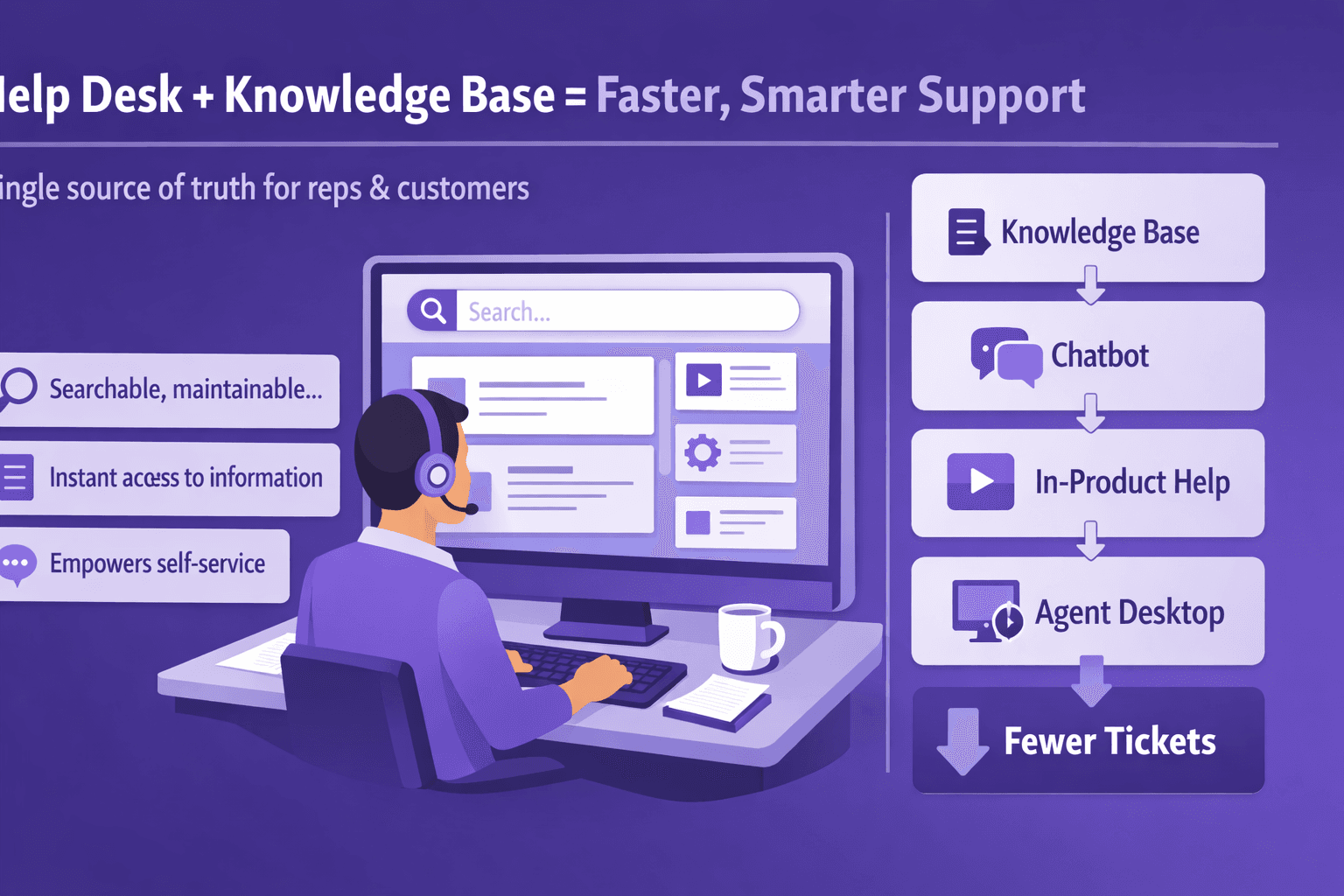
If your support team is drowning in repeat questions and long ticket queues, the problem often isn't people — it's knowledge. Help desk software with knowledge base baked in gives your support reps and customers a single source of truth: searchable, maintainable, and actionable documentation that actually cuts tickets.
We're talking about more than a glorified FAQ. A modern solution should let you create step-by-step SOPs, push content into chatbots and in-product help, auto-summarize training videos, and measure what actually helps people. That combination matters for business analysts, consultants, operations managers, and tech teams who need clear processes, fewer manual handoffs, and predictable outcomes.
What you'll get from this article
- Which knowledge base features matter most for scale
- How to quantify ROI and estimate saved headcount
- A practical strategy for migrating and governing content
- Integration and automation patterns that make knowledge work
- KPIs, dashboards, and vendor-selection guidance
- Real-world tips and templates you can copy
Throughout I'll mention concrete examples — Zendesk, ServiceNow, Intercom, Confluence, Notion — and show how AI-driven tooling (like Lyren AI) changes the game by converting screen recordings into structured step-by-step documentation and generating process diagrams automatically. But nothing here is theoretical: you'll get checklists, a sample content template, automation snippets, and a pilot plan you can run this quarter.
Core Knowledge Base Features to Look For
Not all knowledge bases are built the same. Here are the features that actually move the needle.
Article authoring, versioning, templates, and content approval workflows
You need a writing experience that supports teams — not just one admin. Look for:
- Rich editor with images, embedded videos, tables, and code blocks.
- Templates for common article types: Troubleshooting, How-to, SOP, Release Notes.
- Version history and easy rollback.
- Approval flows so changes by junior authors don't go live without a review.
Practical template example (copy-paste this into your editor):
Title: [Problem] — [One-line result]
Audience: [Agent | Customer | Admin]
Symptoms: [List]
Cause: [Known reasons]
Steps:
  1. [Step 1 — expected result]
  2. [Step 2 — expected result]
Workarounds: [If any]
Related Articles: [links]
Last reviewed: [date]
Owner: [name/team]
This keeps consistency and slashes review time.
Search quality: relevance ranking, synonyms, natural language search, and analytics
Search is the heart of a knowledge base. A weak search is worse than none.
What good search should do:
- Relevance ranking that prioritizes recent, high-rated content
- Synonyms and synonyms dictionary (e.g., "reset password" = "forgot password")
- Natural language search: users type "how do I change my billing info?" and get the right article
- Search analytics: failing queries, click-through rate, and search-to-article conversion
Tools: ElasticSearch or Algolia power many platforms. Some vendors offer built-in NLP search that plugs into analytics dashboards.
Example: If "payment method change" yields no results, search analytics should show the query and let you create a targeted article in minutes.
Access controls, multi-channel publishing, and multilingual support
Your knowledge should be where people are:
- Granular access controls (team-level, role-level, customer portals)
- Multi-channel publishing: website help center, in-app widget, chatbot, mobile app
- Multilingual support and translation workflows (not machine-only; include human review)
Real use case: A finance tool published a customer-facing knowledge base in English and German. Using role-based access, they kept beta features invisible to regular customers but available to beta users and internal agents.
AI assistance: auto-suggest articles, content categorization, and automated summarization
AI isn't just hype here. Useful features include:
- Auto-suggest: when an agent types a reply, the system suggests relevant articles
- Content categorization: AI tags new content into taxonomy automatically
- Automated summarization: convert a 10-minute training video into a 150–300 word step-by-step guide, or even a flowchart
Example: Lyren AI processes screen recordings and outputs structured steps and process diagrams. That turns a recording of a user onboarding flow into a polished SOP in minutes, not days.
Practical tip: Use AI suggestions as drafts, not as final copy. Always apply a quick human pass to validate accuracy for edge cases.
Business Benefits and ROI of an Integrated Knowledge Base
Don't buy software because it's shiny. Buy it because it pays back in time and satisfaction.
How knowledge bases reduce ticket volume and increase self-service deflection
Self-service deflection is the % of potential tickets that never reach an agent because the user found an answer on their own.
Typical outcomes:
- Small B2B SaaS: 10–25% reduction in ticket volume in 3 months
- Mature internal ITSM: 30–50% deflection if content is comprehensive and searchable
Drivers:
- Better search and targeted content for common issues
- In-product help and contextual suggestions
- Chatbots that escalate only after failing to find answers
Real example: A 2,000-seat SaaS company implemented an in-app help widget and published 120 top FAQs. Over six months incoming tickets for basic account and billing issues dropped from ~250/month to ~175/month — a 30% reduction.
Impact on time-to-resolution, agent productivity, and first-contact resolution
Good knowledge speeds agents up:
- Average handle time drops as agents copy steps instead of writing them
- First-contact resolution (FCR) improves because agents can find precise steps and fixes
- New-hire ramp time shortens when SOPs and process flows are available
Numbers to expect:
- Handle time reduction: 10–40% depending on current maturity
- FCR improvement: 5–15 percentage points in many cases
- New-hire ramp: from 8 weeks to 4–6 weeks if onboarding docs are solid
Quantifying ROI: cost per ticket saved, headcount leverage, and CSAT improvements
You can make a simple ROI model:
Inputs:
- Current tickets/month (T)
- Average cost per ticket (C) — include salary-adjusted handle time. Example: $15–$40 per ticket depending on country and complexity.
- Expected deflection rate after KB (D) — conservative 15%, optimistic 35%
- Implementation cost (S) — annual subscription + migration + training (example: $50k/year for mid-market)
- Annual maintenance cost (M)
Formula: Annual savings = T * 12 * C * D Net benefit = Annual savings - S - M ROI % = Net benefit / (S + M)
Example:
- T = 1,000 tickets/month
- C = $25/ticket
- D = 20% (0.20)
- S+M = $60,000
Annual savings = 1,000 * 12 * $25 * 0.2 = $60,000 Net benefit = $60,000 - $60,000 = $0 (break-even year 1) From year 2, savings are much larger since implementation costs are sunk.
CSAT improvements: Publishing clear steps often raises CSAT by 0.1–0.4 points on a 5-point scale for issues resolved via KB, because customers get consistent, predictable answers.
Practical advice: Start with the top 20 issues (Pareto), calculate current monthly cost for those tickets, and target them first. That gives a quick, defensible ROI case to leadership.
Implementation Strategy and Governance
Bad content governance is where knowledge bases go to die. Here's a plan that actually works.
Content audit and migration: inventory, gap analysis, and cleanup plan
Step 1: Inventory everything. Pull articles from Confluence, Notion, shared drives, Slack pins, and even training videos.
Quick inventory checklist:
- Total docs count
- Last updated dates
- Owner (if known)
- Format (video, doc, slide)
- Views or use metrics (if available)
Then run a gap analysis:
- Which high-volume ticket topics lack clear articles?
- Which old documents contradict current processes?
- Which screen-recorded processes need step-by-step conversion?
Cleanup plan:
- Archive docs older than X years with no owner
- Migrate top 100 high-value articles first
- Convert training videos into structured docs (this is where tools like Lyren AI speed work by extracting steps from screen recordings)
Estimate time: For a mid-market company, expect 4–8 weeks for a first pass and a prioritized backlog for ongoing migration.
Designing taxonomy, tagging, and templates for consistent articles
Good taxonomy avoids confusion. Keep it shallow and predictable.
Suggested structure:
- Top-level categories: Get Started, Account & Billing, Troubleshooting, Admin, API, Release Notes
- Tags: product area, release version, audience, error codes
- Use controlled vocabulary — a tag should mean one thing.
Example tags: payment, onboarding, SAML, API-v2, outage, admin-ui
Design rules:
- Max 3 top-level categories per article
- No more than 8 tags
- Enforce tag suggestions and disallow freeform tags unless admin-approved
Governance model: roles, ownership, review cycles, and stale content policy
Assign clear roles:
- Content owner (usually product or ops) — accountable for accuracy
- Editor — fixes language and structure
- Reviewer — validates technical accuracy (engineer)
- Admin — manages workflows and analytics
Review cycles:
- Critical articles: quarterly review
- Operational SOPs: semi-annual
- Static docs (e.g., policies): annual
- Stale content policy: auto-flag articles not updated in 12 months for review
Use automation: set reminders and auto-archive rules. If an article sits in "review" for more than 30 days, flag the owner and escalate.
Change management: training agents, promoting self-service, and internal adoption tactics
Adoption isn't automatic — you have to push it.
Kickoff tactics:
- Run weekly 30-minute "show-and-tell" sessions for agents during the first 6 weeks
- Replace one onboarding slide with a hands-on KB scavenger hunt
- Incentivize agents: small rewards for top-rated articles or best edits
Promotion:
- Add KB suggestions to agent reply composer (so they see time saving immediately)
- Push most-used articles into Slack/Teams channels
- For customers, use in-product microcopy and a help widget
Measure adoption: track agent usage rates, search-to-article click rate, and time saved per agent.
Integrations, Automation, and Workflows
A knowledge base that sits by itself is a brochure. Connect it.
Connecting the knowledge base to ticketing systems, chatbots, CRM, and analytics
Common integrations:
- Ticketing: Zendesk, Freshdesk, Jira Service Management
- Chatbots: Intercom, Drift, Rasa
- CRM: Salesforce, HubSpot
- Collaboration: Slack, Microsoft Teams
- Analytics: Looker, Kibana, Amplitude
Examples:
- When a ticket is tagged "billing", the agent UI surfaces billing KB articles automatically.
- A Salesforce case pulls the KB article link into the case activity log.
Integration pattern: use the knowledge base API to fetch articles by tag or query, then render them in the target application.
Sample pseudocode for fetching an article:
// fetch article suggested for a ticket
fetch('https://kb.company.com/api/search?q=reset+password', {
  headers: { Authorization: 'Bearer xxxxx' }
})
.then(r => r.json())
.then(results => renderSuggestions(results));
Automation use cases: suggested articles in tickets, chatbot handoffs, and automated updates
Practical automations that save time:
- Auto-suggest articles in agent composer using ticket subject/body
- Chatbot presents top 3 candidate articles and hands off to agent if none match
- When a page view spikes for an article, create a backlog ticket for PMs to review (possible regression or feature confusion)
- Auto-tagging: when an article mentions "OAuth2", tag it with "oauth" for faster discovery
Example workflow: A chatbot fails to resolve a user within 90 seconds. It creates a pre-filled ticket and includes the chat transcript and suggested KB article link. That saves the agent from re-asking details.
APIs and webhooks for custom workflows and enterprise integrations
APIs allow advanced use:
- Content search API for embedding help in your product
- Webhooks for content events (article created/updated/archived)
- Bulk export/import for analytics and backup
Webhook example payload:
{
  "event": "article.updated",
  "timestamp": "2026-01-01T12:00:00Z",
  "article": {
    "id": "1234",
    "title": "Reset password",
    "owner": "jane@example.com",
    "url": "https://kb.company.com/article/1234"
  }
}
Use-case: On article.updated, trigger Slack notification to the owner, update a Jira ticket, or re-index content in enterprise search.
Security note: Use signed webhooks, IP allowlists, and OAuth for API access in production.
Measuring Success: KPIs and Analytics
Measure or guess. Which would you prefer?
Key metrics: article views, search success rate, deflection rate, and time-to-resolution
Core KPIs:
- Article views and unique viewers
- Search success rate: searches that lead to click-through on an article within X seconds
- Deflection rate: % of support interactions resolved without agent involvement
- Time-to-resolution (TTR) for ticket types covered by KB
- First contact resolution (FCR)
- Average handle time (AHT) for agent-assisted tickets
Benchmarks to aim for:
- Search success rate > 50% initially, trending up
- Deflection rate 15–30% within 6 months for customer-facing KB
- AHT reduction 10–25% after full agent adoption
Qualitative feedback: article helpfulness, ratings, and user comments
Numbers tell part of the story. Collect feedback:
- Thumbs up/down or 1–5 rating on each article
- Optional comment for negative votes
- Agent annotations: agents should be able to mark articles as "needs update" while replying
Example process:
- If article has < 3.5 average rating and > 50 views in a 30-day window, open a task for review.
Dashboard examples and how to use data to prioritize content improvements
Dashboard components:
- Top search terms with zero results (use this as your backlog)
- Articles with high views but low helpfulness ratings
- Deflection trend by channel (web, chat, in-product)
- Time-to-resolution heatmap by topic/tag
How to act:
- High-view, low-score article → fix language or add screenshots
- High zero-result searches → create new articles
- Rising ticket volume for a topic → push an in-product notice and an article
Sample SQL-ish query for "articles to fix":
SELECT article_id, title, views, avg_rating
FROM article_stats
WHERE views > 100 AND avg_rating < 3.5
ORDER BY views DESC;
Use that to create a prioritized sprint for content fixes.
Vendor Selection Checklist and Pricing Considerations
Choosing a vendor is a big decision. Here’s a practical checklist that cuts through marketing.
Evaluation criteria: scalability, security/compliance, UI, and support SLAs
Hard requirements first:
- Scalability: can it handle your document count (100s vs 100k) and search load?
- Security/compliance: SSO, SAML, SCIM, encryption at rest and in transit, SOC 2 / ISO 27001 if needed
- UI: search quality and authoring experience for non-technical writers
- Analytics: built-in metrics or easy export to BI tools
- Support SLAs: response times for P1/P2 incidents
Bonus features that matter:
- Video-to-doc automation (if you rely on screen recordings)
- AI assistant for customer-facing chat
- Process diagram generation (useful for SOPs and handoffs)
Pricing models to watch: per-agent, per-seat, per-usage, and enterprise licensing
Pricing models vary and can surprise you:
- Per-agent: common for help desk systems; watch churn if you scale or add seasonal agents
- Per-seat for authors vs. readers: make sure you understand read-only user counts
- Per-usage: charge for API calls or AI generations (watch for runaway costs with bots)
- Enterprise: flat license with add-ons for premium features
Example trap: vendor charges minimal per-agent rates but extra for AI summarization credits. Estimate expected usage for features like video processing or API calls and ask for clear pricing caps.
PoC tips: trial scenarios, sample integrations, and pilot success criteria
Run a short proof-of-concept (PoC):
- Timeline: 3–6 weeks
- Scope: migrate top 25 articles, connect with one ticketing system and one chatbot, enable search analytics
- Data: ingest a sample of 10 training videos and see auto-generated docs
- Success criteria:
- Search success rate improves by X%
- Agents report average handle time reduced by Y seconds in an agent survey
- At least 2 auto-suggested articles result in saved replies per day
Make the vendor show real data for your scenarios — not canned demos.
Common Pitfalls and Best Practices
You’ll avoid most headaches if you know what trips teams up.
Avoiding outdated or low-quality content and preventing duplicate articles
Common pitfalls:
- Duplicate articles with slightly different titles — split traffic and lower search ranking
- Stale content — users lose trust when instructions don't work
- Over-reliance on automated transcription without validation
Fixes:
- Use unique slugs and canonical URLs for articles
- Use analytics to find low-rating articles and either fix or archive them
- Require owners and automated review reminders
Best practices for search optimization, article structure, and continuous improvement
Search optimization:
- Use common customer language and synonyms in the opening lines
- Include error codes and exact phrases customers paste in support tickets
- Put the main answer in the first 30–60 words (people skim)
Article structure:
- Problem first, short steps second
- Add a "Quick fix" for advanced users and a "Full steps" section for new users
- Include screenshots with highlights, or short GIFs for multi-click flows
Continuous improvement:
- Weekly review of top 10 failed searches
- Monthly content sprints for low-rated high-traffic articles
- Quarterly audit for owner assignment and stale content
Real-world tips from successful implementations
- Don't try to document everything at once. Target the top 20 ticket reasons that represent 60–80% of volume.
- Use videos as source material. A single screen recording converted into an SOP via an AI tool can replace six separate documents.
- Crowdsource edits from agents, but centralize final approvals.
- Make analytics visible in team standups — numbers drive behavior.
Real example: An enterprise IT team used screen recordings from onboarding sessions. Using an AI tool to extract steps and produce a process diagram, they reduced training time for new agents from 12 days to 6 days.
Conclusion
A help desk software with knowledge base is not optional if you want predictable support costs, faster onboarding, and higher CSAT. The key isn't the tool alone but the processes you build: taxonomy, review cycles, integrations, and measurement.
Actionable next steps
- Audit: inventory your top 100 docs and top 20 ticket reasons this week
- Prioritize: pick the top 10 articles to migrate and improve first
- Integrate: connect the KB to one channel (agent composer or chatbot) and measure impact
- Pilot: run a 4–6 week pilot with defined success criteria and analytics
Quick checklist for choosing and implementing the right solution
- Inventory: list docs, videos, and owners
- Taxonomy: define top categories and 8–10 controlled tags
- Templates: use a standard article template (title, symptoms, steps, owner)
- AI: test video-to-doc and auto-suggest capabilities on sample content
- Integrations: connect to ticketing and at least one customer channel
- Governance: set owners, review cycles, and stale-content rules
- KPIs: define deflection rate, search success, FCR, and AHT targets
- PoC: run a 3–6 week pilot with measurable goals
If you want, start where it matters most: pick three repeat ticket types that eat your team's time and document them well. Good documentation doesn't just answer questions — it makes your company run smoother.