Business Process Mapping Software Comparison: Top Tools & Criteria
Introduction
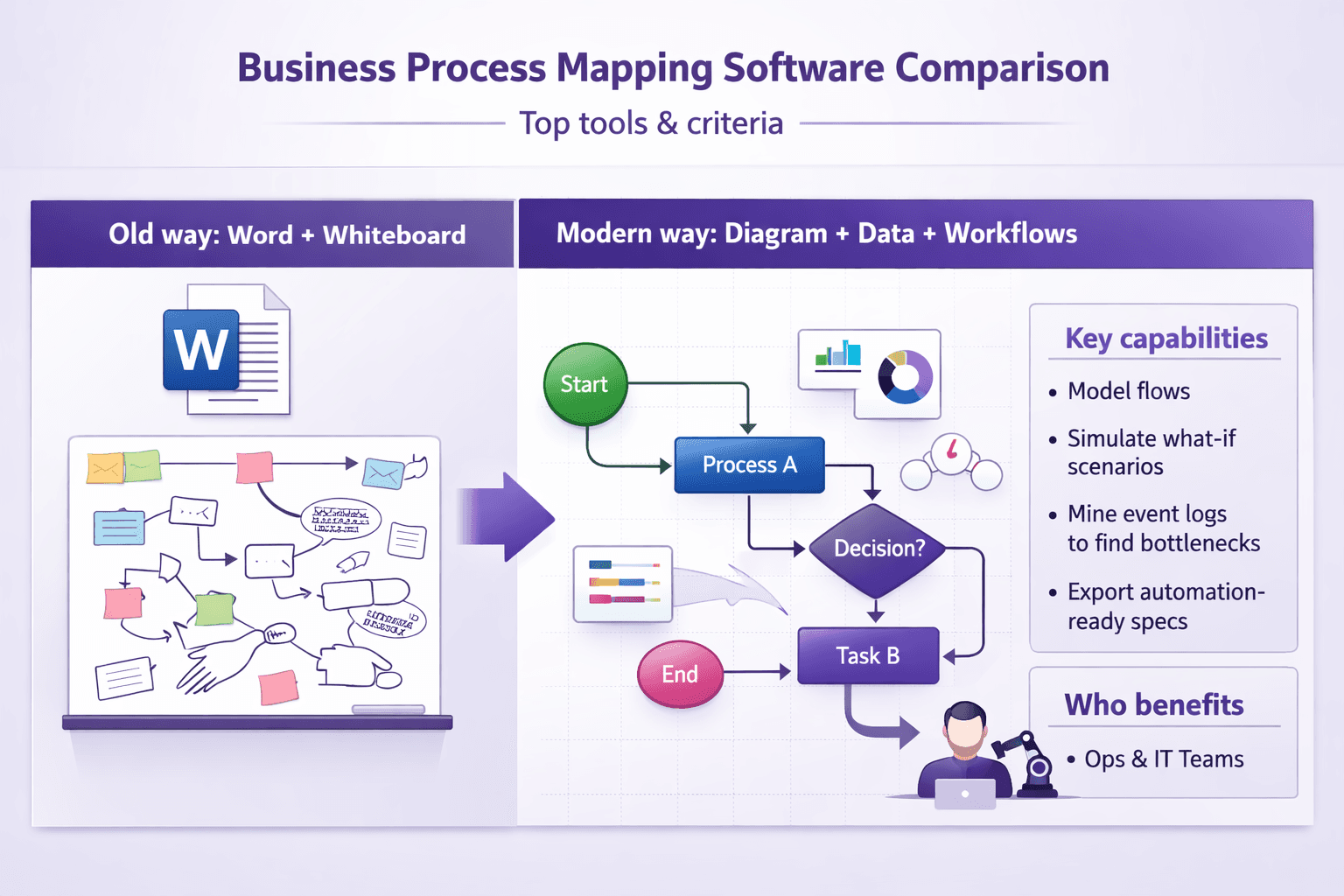
If you've ever tried to explain a messy process using a Word doc and a whiteboard screenshot, you know the pain. Business process mapping software turns that chaos into diagrams, data and actionable workflows that teams can follow, improve, and hand off to automation engineers. Analysts, consultants, ops managers, RPA engineers — they all get a lot from a good tool. You model the flow, simulate what-if scenarios, mine event logs to find bottlenecks, and hand a clean spec to developers or an RPA bot.
This business process mapping software comparison will walk you through what matters when choosing a tool: modeling, simulation, collaboration, integrations, deployment and ROI. You’ll get a practical view of major products — Signavio (SAP), Bizagi, Lucidchart, Microsoft Visio, ARIS, ProcessMaker — plus how a documentation-first tool like Lyren AI fits in when you want step-by-step SOPs and screen-recording-based documentation alongside your diagrams.
What this guide covers: capabilities (BPMN, process mining, simulation), governance, pricing models, hidden costs and real rollout advice with timelines and KPIs. Expect concrete examples and recommendations for typical use cases: process discovery, automation handoff, compliance, and scaling across an enterprise.
Why Use Business Process Mapping Software
Short version: diagrams alone aren’t enough. You need structured processes that reduce errors, speed onboarding, and make automation sensible.
-
Clarify processes visually to reduce errors and handoffs
Humans read visuals faster than paragraphs. A clear BPMN (Business Process Model and Notation) diagram reduces ambiguity. Example: a bank’s mortgage intake flow shown in BPMN with decision gateways and swimlanes cut ambiguity about who checks ID vs who approves credit. Fewer handoffs. Fewer lost documents. -
Support continuous improvement, compliance, and auditability
Tools like ARIS or Signavio give you version history, annotations, and process owners. That helps when auditors ask, “What changed and why?” or when you need to show SLA enforcement. You can track changes, attach evidence, link policies, and retain an auditable trail. -
Enable automation readiness and integration with RPA/BPM tools
A process map with clear input/outputs is how you decide what to automate. If a step is rule-based and repetitive, it’s a candidate for RPA (UiPath, Automation Anywhere, Blue Prism). If it’s a document-heavy workflow, you might feed it to a low-code BPM (Camunda, Bizagi). Process mapping reduces guesswork when handing specs to automation teams. -
Improve cross-team collaboration and version control for process documentation
Collaboration features like comments, role-based access, and concurrent editing prevent the “one spreadsheet, three copies” problem. When people can comment directly on a task node, you get faster clarifications and fewer meetings.
Real-world example: A mid-sized insurer used Signavio to map claims processing, found two duplicate approval steps, removed one, and cut average processing time from 7 days to 4 days. They then exported the cleaned flow to UiPath and built a bot for document sorting, cutting manual processing hours by 25% monthly.
Key Evaluation Criteria for Comparison
Picking a tool isn't about the flashiest UI. You want features that match your use cases and a vendor that won’t slow you down. Here are the practical criteria I use when comparing tools.
Modeling capabilities
- BPMN support: If you plan to hand off to RPA/BPM teams or to exchange models, full BPMN 2.0 support matters. Some tools (Lucidchart, Visio) are great for diagrams but weak on strict BPMN semantics.
- Custom notations: Can you add your own shapes or compliance-specific icons? Helpful for industry-specific ops.
- Ease of editing: Drag-and-drop is fine, but keyboard shortcuts, copy/paste properties, and bulk editing save real time. Bizagi and Signavio are strong here.
- Reusable elements and libraries: Tasks, subprocesses, templates that can be reused.
Advanced features: simulation, process mining, analytics, reporting
- Simulation: Monte Carlo or deterministic simulation to test throughput, bottlenecks and resource load. ARIS, Signavio and Bizagi offer simulation features.
- Process mining: If you have event logs, process mining (Celonis-style) uncovers deviations from the ideal model. Signavio and ARIS have integrated mining; other teams use Celonis or ProcessGold alongside mapping tools.
- Analytics & reporting: SLA dashboards, cycle time heat maps, and exportable reports are huge for executives.
Collaboration & governance
- Versioning and audit trail: Can you roll back to earlier models? Who approved what and when?
- Comments and discussions on elements: Inline discussion prevents misinterpretation.
- Approvals and sign-off workflows: Built-in approvals vs manual sign-offs.
- Role-based access: Define who can edit, approve, or just view.
Integrations & automation
- Out-of-the-box connectors: RPA (UiPath, Automation Anywhere), ERP (SAP, Oracle), low-code platforms (Mendix, OutSystems).
- API access: Can you trigger exports, get model metadata, or kick off simulations via API?
- Export formats: BPMN XML, Visio, PDF, CSV. BPMN XML is key for automation handoffs.
Deployment, scalability & security
- SaaS vs on-prem: Regulated industries may need on-prem or hybrid deployments.
- Single Sign-On (SSO) and SAML/SCIM support: Centralized authentication and user provisioning.
- Data residency and encryption: Where is your data stored? Encryption at rest and in transit?
- Scalability: Can the platform handle thousands of users and tens of thousands of models?
Usability, support, and total cost of ownership
- Learning curve: Time to competency for a BA vs an occasional reviewer.
- Support and training: Documentation, templates, vendor onboarding, community.
- TCO: License cost, implementation, integrations, and ongoing maintenance.
If you prioritize BPMN fidelity and automation handoff, choose a BPM-first product. If you mostly want mapping and collaboration for smaller teams, choose a lightweight diagramming tool.
Head-to-Head: Top Tools Compared
Below is a snapshot comparison to help you pick quickly. This is a quick read — scroll further for deeper tool highlights and recommendations.
| Tool | Best for | Strengths | Weaknesses | Price tier (typical) |
|---|---|---|---|---|
| SAP Signavio | Enterprise process governance & mining | Strong BPMN, process mining, governance, SAP integrations | Enterprise pricing, needs setup | Enterprise (quote) |
| Bizagi | BPM + automation handoff | BPMN support, simulation, free Modeler + cloud tiers | Enterprise scale features cost more | Freemium → Cloud tiers |
| Lucidchart | Collaborative diagramming (SMB, cross-team) | Easy, collaborative, templates, Visio import | Limited BPMN semantics, weak mining | $7–$12/user/mo |
| Microsoft Visio | Familiar for orgs (desktop-first) | Wide adoption, Visio libraries, Office integration | Collaboration less modern, limited BPMN export | $7–$15/user/mo |
| ARIS (Software AG) | Enterprise process management & compliance | Powerful modeling, simulation, governance | Steep learning curve, costly | Enterprise (quote) |
| ProcessMaker | Open-source & low-code workflows | Good for SMEs, BPMN, automation | Fewer analytics, smaller ecosystem | Free OSS → subscription |
| Lyren AI | Documentation-first + auto diagrams | Create step-by-step from screen recordings; AI-generated diagrams; Q&A over docs | Newer in BPM space; best when paired with mapping tools | Paid KB platform; 7-day trial |
Tool highlights and practical takes
-
SAP Signavio (part of SAP):
Strengths: Best for enterprises that need governance, process intelligence and tight SAP integration. Signavio combines process modeling, process mining and a business-transformation hub. If you’re standardizing operations across global teams, Signavio’s governance features and role model are robust.
Weaknesses: Can be expensive. Implementation often needs consultants. Not ideal for lone analysts on small projects. -
Bizagi:
Strengths: Strong BPMN support and a pragmatic approach: free Bizagi Modeler for diagramming, then cloud or on-prem runtime for automation. Good for teams that want a smooth path from model to executable workflow.
Weaknesses: Advanced analytics and large-scale governance need paid tiers. -
Lucidchart:
Strengths: Super easy to adopt. Great for cross-functional teams and workshops. Real-time collaboration and templates make process discovery sessions productive.
Weaknesses: Not full BPMN semantics — good for visualization, not formal process-engine handoff. Process mining and simulation aren't core features. -
Microsoft Visio:
Strengths: Familiar to large orgs; integrates with Office 365. Many teams already have licenses.
Weaknesses: Collaboration and process intelligence features lag modern web apps. BPMN support exists but isn't as strict as BPM engines require. -
ARIS (Software AG):
Strengths: Enterprise feature set for process governance, risk and compliance. Strong simulation and deep modeling capabilities.
Weaknesses: Steep learning curve. Heavyweight for teams that don’t need deep risk controls. -
ProcessMaker:
Strengths: Low-code automation focused on workflows. Offers open-source edition, which is attractive for smaller orgs or those wanting to customize heavily.
Weaknesses: Smaller ecosystem compared to SAP/SW AG. Analytics are basic unless you integrate external tools. -
Lyren AI:
Strengths: Instead of starting from scratch, Lyren AI extracts structured step-by-step documentation and process flows from screen recordings and UI videos. That matters if your processes are UI-driven — onboarding, internal tools, CRMs, finance systems — because you get a usable SOP and a generated process diagram quickly. Plus, the built-in AI assistant answers questions over your documentation, reducing time to competency.
Weaknesses: Not positioned as a full BPM suite for large-scale process mining or enterprise governance. Works best paired with a modeling/BPM tool for governance and simulation.
Quick use-case recommendations
- Process discovery workshops and cross-team mapping: Lucidchart or Visio for speed; pair with Lyren AI to turn recorded sessions into documentation and diagrams afterward.
- Automation handoff (RPA): Bizagi or Signavio for strict BPMN and export to RPA. Export BPMN XML to UiPath Studio or Camunda as a starting spec.
- Enterprise governance & compliance: Signavio or ARIS. They handle versioning, role-based approvals and audit logs.
- Budget-constrained teams: ProcessMaker (open-source) or free Bizagi Modeler plus manual automation.
- Documentation-first teams (training videos, SOPs): Lyren AI to auto-generate text-based steps and diagrams from recorded UIs; push diagrams into your BPM tool for governance.
Limitations to watch for in each tool
- Signavio: Budget, vendor lock-in, and potential project complexity. If you have simple needs, it’s overkill.
- Bizagi: Runtime scaling and advanced enterprise analytics can push you to paid tiers.
- Lucidchart: Diagramming-first means you'll need other tools for mining and simulation.
- Visio: Desktop-first legacy model can make collaboration clunky.
- ARIS: Very capable, but requires training. Expect longer adoption cycles.
- ProcessMaker: Smaller partner ecosystem; may need more in-house dev.
- Lyren AI: Best at documentation and process flow generation from UI videos — not a direct replacement for enterprise BPM suites. But it's an excellent complement to speed up SOP creation and training.
Pricing, Licensing and ROI Considerations
Money talks. Don’t base a purchase only on a sticker price. Think total cost and measurable return.
Common pricing models
- Per-user/per-seat: Most SaaS diagramming tools charge per editor. Example: Lucidchart $7–12/user/month for editors; viewers often cheaper or free.
- Tiered SaaS: Basic, Pro, Enterprise tiers. Enterprise tiers add SSO, advanced governance and SLAs, and cost significantly more.
- Named vs concurrent users: Some products use named users, others use concurrent licensing. Concurrent can save money if usage is intermittent.
- Enterprise licensing and support: Large orgs often negotiate one-off enterprise licenses with unlimited users and additional services.
Example pricing rough guide (subject to change; use as directional):
- Lucidchart: $7–$12/user/month (editors).
- Microsoft Visio Plan: $7–$15/user/month.
- Bizagi: Free Modeler; cloud/automation pricing based on processes and users.
- Signavio / ARIS: Enterprise quotes; often $50k+/year for broader deployments depending on scope.
- ProcessMaker: Open-source free; hosted/cloud starts at modest monthly fees.
Hidden cost drivers
- Integrations and connectors: Building SAP, Oracle, or custom ERP connectors costs time or vendor premium.
- Implementation and consultancy: Enterprise deployments often include paid consultants. Expect 10–30% of project value or multi-week engagements.
- Training and change management: Users need training; account for instructor time or vendor training fees.
- Customization and templates: Custom libraries, compliance templates, and integrations add cost.
- Data migration and governance setup: Central repositories and naming conventions take time.
How to estimate ROI
Build a simple model. Focus on three levers: time saved, error reduction, and faster automation.
Example ROI scenario:
- Current: 1,000 monthly claims, avg manual handling time 60 minutes per claim across multiple roles.
- After process mapping + automation: Reduce manual handling 20% via process simplification; automate 30% of rule-based tasks saving an extra 10 minutes per claim.
- Calculation:
- Manual time saved from simplification = 1,000 * 60 min * 0.20 = 12,000 minutes = 200 hours/month.
- Automation time saved = 1,000 * 10 min * 0.30 = 3,000 minutes = 50 hours/month.
- Total saved = 250 hours/month. If average fully-burdened cost is $50/hour, monthly savings = $12,500; annual = $150,000.
- If tool + implementation costs $60,000 first year, payback < 6 months.
Track metrics during pilot: cycle time, handoffs count, error/rework rate, FTE hours spent. Those feed ROI calculations.
Negotiation tips and pilot strategies
- Start small with a pilot: 6–12 week pilot with 2–3 processes, limited users, clear KPIs. Use that pilot to evaluate integration complexity and actual time savings.
- Ask for pilot pricing or proof-of-value discounts: Many vendors will discount pilots or provide limited features free to demonstrate value.
- Negotiate for included connectors and training: Push for a fixed number of integration hours or dedicated onboarding support.
- Get contract clauses for SLAs, data residency and exit/exportability: You want BPMN export and data export ready if you switch vendors.
- Use a concurrent-user model if team members only occasionally edit diagrams.
Implementation, Integration and Best Practices
Buying a tool is the easy part. Rolling it out and making it stick is where the work happens.
Phased rollout: discovery, pilot, scale — recommended timelines and milestones
-
Discovery (2–4 weeks): Map 5–10 key processes at a high level. Identify owners, KPIs, and integration points. Record short screen walkthroughs of critical systems (CRM, ERP) — that helps Lyren AI generate step-by-step docs later.
Milestone: High-level maps for top 5 processes; agreement from owners. -
Pilot (6–12 weeks): Pick 2–3 processes that touch multiple teams and have measurable KPIs (cycle time, errors). Implement the modeling, test exports (BPMN XML), and do one small automation or rule setup. Use real data for process mining if available.
Milestone: Pilot models, one automation handoff, pilot KPI baseline vs improvement. -
Scale (3–9 months): Roll out governance (roles, naming conventions), templates, training programs and integrations with RPA/BPM platforms. Build a central repository and assign process owners. Start quarterly process reviews.
Milestone: Company-wide repository, training completion metrics, quarterly CI backlog.
Timelines vary by company size and complexity. Don’t rush governance — it’s the thing that keeps diagrams usable after the first year.
Integration checklist: APIs, RPA connectors, ERPs and data mapping concerns
- API availability: Does the tool offer REST APIs to create/read/update diagrams, export BPMN, and fetch metadata?
- Authentication: Does the API support OAuth2, API keys or SAML assertions? SCIM for user provisioning?
- RPA connectors: Out-of-the-box connectors to UiPath, Automation Anywhere, Blue Prism? If not, plan for middleware.
- ERP/CRM integration: SAP, Oracle, Salesforce — either out-of-the-box or via middleware (MuleSoft, Workato).
- Data mapping: When you automate a step, define the input/output schema. Make a sample payload. Avoid surprises by documenting the data elements upfront.
- Event logs for process mining: Ensure logs have a case ID, timestamp, activity name and actor. Without those, mining results are weak.
Sample API snippet (Python requests) to fetch a diagram export (generic example):
import requests

API_BASE = "https://api.example-mapping.com/v1"
API_TOKEN = "YOUR_API_TOKEN"

headers = {"Authorization": f"Bearer {API_TOKEN}", "Accept": "application/xml"}
diagram_id = "12345"

resp = requests.get(f"{API_BASE}/diagrams/{diagram_id}/export/bpmn", headers=headers)
if resp.status_code == 200:
    with open("diagram.bpmn", "wb") as f:
        f.write(resp.content)
else:
    print("Error:", resp.status_code, resp.text)
That exported BPMN XML can be handed to a BPM engine or RPA studio.
Governance and maintenance: ownership, change control, repository hygiene
- Assign process owners: Every process should have a named owner accountable for updates and SLAs.
- Versioning strategy: Prefer tools with built-in versioning. If you use files, adopt naming conventions and a changelog.
- Change control process: Small changes? Minor edit. Major changes? Require stakeholder sign-off. Track approvals in the tool.
- Repository hygiene: Archive deprecated processes, enforce naming conventions (e.g., Department_ProcessName_Version), and use tags for quick filtering.
- Periodic reviews: Quarterly review cadence to check that models reflect actual practice. Use process mining to validate.
Example governance roles:
- Process Owner: Responsible for accuracy and SLA compliance.
- Process Steward: Maintains diagrams, performs edits, manages templates.
- Architect/Automation Lead: Ensures BPMN cleanliness for automation handoffs.
- Compliance Officer: Reviews changes relevant to audits or regulations.
Training, templates and adoption tactics to drive usage across teams
- Train by role: 2-hour workshops for analysts, 1-hour demos for executives, self-paced microlearning for occasional users.
- Build templates: Forms for intake processes, claim handling, approvals. Make them easy to duplicate.
- Use real examples in training: “Here’s how we mapped invoice processing and cut 2 approvals.” People remember that.
- Embed process docs into daily apps: Link SOPs and diagrams from your intranet, Confluence, or Slack. If your users have to jump across apps, adoption drops.
- Use Lyren AI to create step-by-step SOPs from screen-recorded workflows: Record an SME doing the task in the CRM, upload to Lyren AI, and get structured steps, screenshots, and an AI Q&A bot for new hires. That reduces training time dramatically.
- Gamify adoption: Small incentives for teams that publish the most accurate processes or that reduce cycle time based on their documented processes.
Real example: A SaaS company used Lucidchart for initial mapping, recorded sessions, and then ran those recordings through Lyren AI to generate task-level SOPs. New employees saw a 40% reduction in time-to-first-successful-onboarded-customer because they could follow exact UI steps and ask the AI assistant questions.
Conclusion
Picking the right business process mapping software is about matching the tool to your use case. Want enterprise governance and mining? Look at Signavio or ARIS. Want quick workshops and diagrams? Lucidchart or Visio will do. Want to go from screen recordings to structured SOPs and auto-generated process diagrams? Try a documentation-first approach with Lyren AI alongside your BPM tool.
Decision checklist before buying:
- Do you need strict BPMN 2.0 support for automation handoff?
- Will you require process mining with event logs?
- SaaS or on-prem — any regulatory constraints on data residency?
- What integrations (RPA, ERP, authentication) are must-haves?
- What’s your pilot KPI (cycle time, error rate, FTE hours saved)?
Next steps: run a short pilot (6–12 weeks), compare vendor demos specifically against your pilot processes, and measure pilot KPIs (cycle time, handoffs, automation readiness). Use the pilot to test integrations, governance and the actual time saved — that’s the data your CFO wants to see when you ask for a broader rollout.