Best Tools for Software Documentation: Top Picks, Use Cases & ROI
Introduction
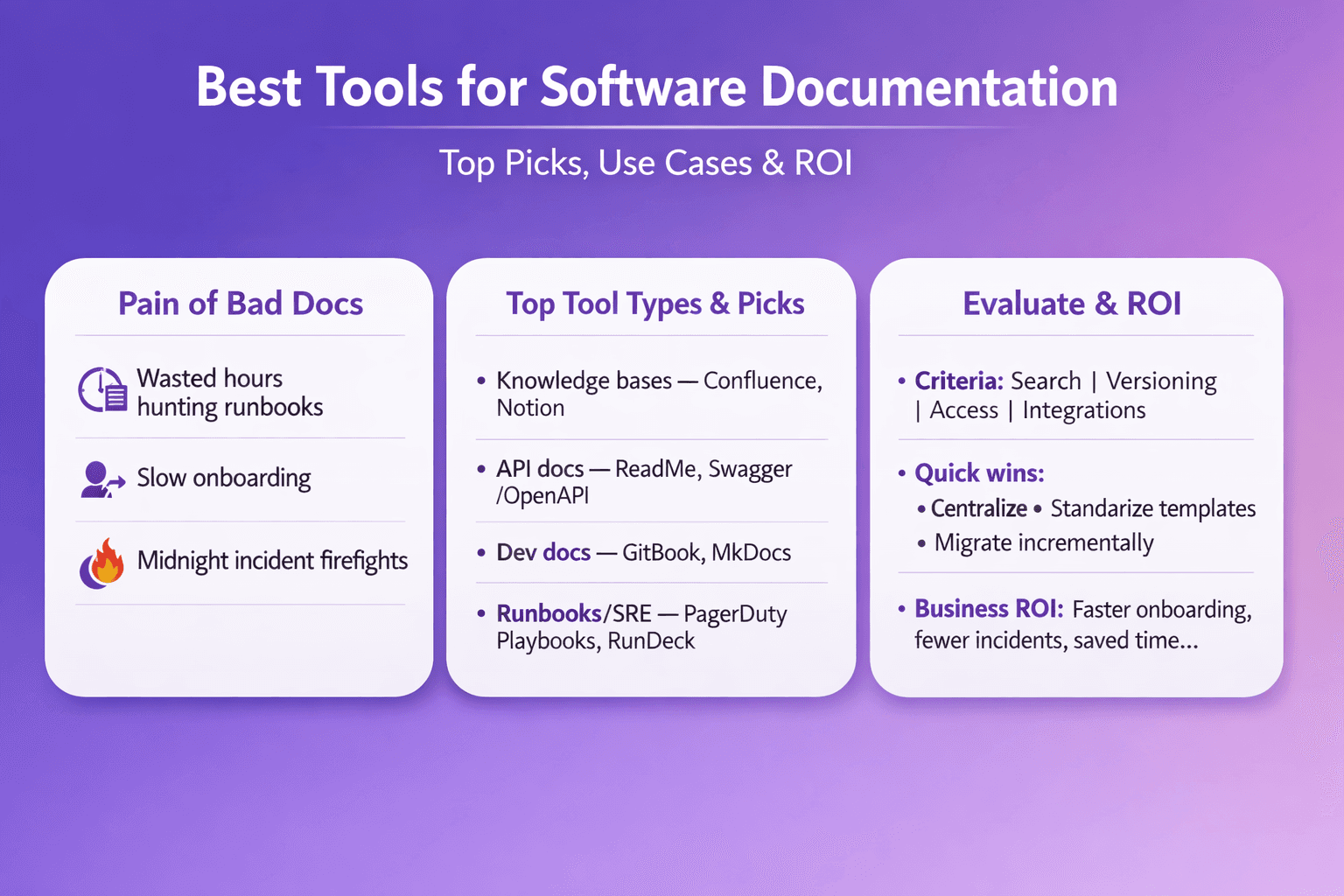
Good documentation saves time. Bad documentation costs money, slows onboarding, and turns small incidents into midnight fire drills. If your team has ever lost hours hunting for the right runbook, or handed a new hire a pile of scattered Google Docs, this guide is for you.
Who should read this: business analysts, consultants, tech and ops managers, and anyone who owns process manuals, runbooks, or API docs. You’ll get a practical shortlist of tools, clear evaluation criteria, migration tips, and ROI thinking you can use to make a purchase decision or run a 30-day pilot.
What to expect: a curated comparison of the best tools for software documentation (not a fuzzy “top 100” list), concrete use cases, migration checklists, and quick starter recommendations by team size and role. I’ll include real examples — like how teams use Confluence for product knowledge, GitBook for developer docs, and tools like Swagger/OpenAPI for API-first teams. I’ll also mention Lyren AI where it fits: automated docs from screen recordings, an AI assistant for Q&A, and flow-diagram generation for SOPs.
Now let’s pick the right tool for the job.
Why Good Software Documentation Is a Business Asset
Documentation isn’t just “help files.” When it's done right, documentation is a measurable asset:
- Faster onboarding: New hires ramp quicker when they have clear, searchable SOPs and step-by-step guides. Example: mobile app teams I've worked with dropped first-release bugs by 30% and shortened new engineer ramp from ~6 weeks to ~3–4 weeks after consolidating docs and adding runbooks.
- Lower support costs: Clear troubleshooting docs and automated runbooks reduce repeat tickets. One operations team I know cut incident escalation by 40% by centralizing incident playbooks and making them easily searchable from Slack and their pager tool.
- Knowledge retention: People leave. Docs don’t. Good documentation captures tribal knowledge — command by command, click by click.
- Compliance and audits: In regulated industries (finance, healthcare), having versioned, access-controlled documentation with audit trails is required. Proper docs mean faster audits and fewer compliance fines.
- Better cross-team collaboration: Product, UX, engineering, and support teams sync faster when they trust the same single source of truth.
- Supports automation and integrations: Documented APIs + OpenAPI/Swagger specs unlock SDK generation, CI validation, and testing. That saves dev time and reduces mismatch between code and docs.
Real-world example: A payments team published an OpenAPI spec and hooked it into ReadMe + Swagger UI. They generated SDKs with OpenAPI Generator and cut integration support requests from partners by more than half within three months.
How to Choose the Best Tools for Software Documentation
Don't pick a tool because it looks nice. Pick it because it solves your specific problems. Here are the key things to weigh.
Key selection criteria
- Searchability: Good search is non-negotiable. Look for full-text search, fuzzy matching, and prioritization (page or section-level ranking). Bonus if the tool supports Algolia or Elasticsearch for enterprise search.
- Version control: Do docs need to track changes with diffs, branches, and revert? For developer-facing docs, Git-based workflows (GitHub/GitLab) are ideal.
- Access control: Granular permissions, SSO (Okta, Azure AD), and audit logs are must-haves for regulated teams.
- Export formats: PDF, HTML, and static site exports. If you need offline runbooks, verify export quality.
- Content types: Support for code snippets, diagrams (Mermaid, PlantUML), embedded videos, and interactive API consoles.
- Templates and structure: Reusable templates for SOPs, incident reports, onboarding checklists. Templates speed adoption.
- Analytics: Page views, search queries, time-to-first-action metrics. These show whether docs are actually used.
- Ease of authoring: WYSIWYG vs Markdown editors. Non-technical authors often prefer a visual editor; developers prefer Markdown.
Integration needs
Consider what your docs must connect to:
- CI/CD pipelines: Auto-deploy documentation on merges (MkDocs, Docusaurus, GitBook).
- Issue trackers: Link pages to Jira issues, GitHub issues, or import issue content into docs.
- API-first tooling: Swagger/OpenAPI, Postman, and SDK generators.
- Chat and incident tools: Slack, Microsoft Teams, PagerDuty—integrations that let you surface docs from alerts.
- Single Sign-On and provisioning: Okta, OneLogin, Azure AD.
- Storage and assets: S3 for large video assets or on-prem object stores for compliance.
Operational considerations
- Pricing vs scale: Free or cheap is fine for 1–10 people. Expect per-user pricing for SaaS docs tools as you approach 50–200 seats. Enterprises will get custom quotes.
- Hosting model: Cloud SaaS is easiest. Self-hosted gives control and on-prem compliance but needs maintenance.
- Governance: Who owns content? Who can publish? How often will you review pages? Document governance before you migrate.
- SLAs and support: For mission-critical runbooks, you want a vendor with enterprise SLAs and support channels.
Top Tools (Categorized Shortlist) with Quick Pros and Cons
Below are the practical choices I see in real organizations, grouped by typical use. Short pros/cons follow for each.
Confluence — enterprise collaboration and knowledge base
Pros:
- Rich WYSIWYG editor with templates for product specs, retros, and meeting notes.
- Tight integration with Jira (Atlassian ecosystem), good for product and project teams.
- Granular permissions and audit logs for compliance.
- Large ecosystem of plugins (draw.io, Scroll PDF Exporter).
Cons:
- Search isn’t as strong as a dedicated search engine without add-ons.
- Page bloat: Confluence sites get messy fast without governance.
- Price scales with users; large teams pay more.
Who uses it: Product management, internal ops, and enterprise teams reporting into auditors.
Pricing snapshot: Starts around $5–6/user/month for small teams; enterprise plans are custom. (Check vendor for current pricing.)
Real example: A fintech company used Confluence and Jira. They formalized release notes and regulatory docs in Confluence, linked Jira tickets for audit trails, and reduced auditor time by 60% during annual reviews.
GitBook, Docusaurus, MkDocs & Sphinx — developer-focused docs and version control
These are the go-to tools when docs must live alongside code.
- GitBook: SaaS with a friendly editor and Git sync. Good for internal and external dev docs.
Pros: Easy onboarding, integrations with GitHub, Slack. Good UI.
Cons: SaaS pricing; less ideal if you need full on-prem. - Docusaurus: Facebook-originated static site generator using React. Pros: Great for developer portals, full control with React components, versioning and i18n. Cons: Requires build pipeline and React knowledge.
- MkDocs: Simple static site generator using Markdown and YAML. Plugins like mkdocs-material are very polished. Pros: Quick to set up, low overhead. Cons: Less flexible for interactive components without plugins.
- Sphinx: Python-centric, used by libraries and large projects (readthedocs). Pros: Powerful cross-referencing, autodoc for docstrings. Cons: Steeper learning curve.
Who uses them: Engineering teams, SDK maintainers, and open-source projects.
Pricing: Most are open-source (free). GitBook has free tiers and paid plans starting under $10/user/month for teams.
Real example: Stripe-style developer docs — large API providers often use custom Docusaurus sites with OpenAPI-generated reference pages.
ReadMe & Swagger/OpenAPI tooling — API docs, interactive examples and SDK generation
-
ReadMe: A focused API documentation platform with interactive consoles, versioned docs, and good developer experience. Pros: Fast setup with OpenAPI import, interactive Try-It consoles, metrics on API usage and docs. Cons: Price rises for enterprise features and advanced analytics.
-
Swagger/OpenAPI ecosystem: Swagger UI, Swagger Editor, SwaggerHub, OpenAPI Generator. Pros: The standard for API-first teams. You can generate SDKs, server stubs, and client libraries automatically. Cons: You still need to host or integrate the generated content into a docs site.
Who uses them: API-first companies, platform teams, and B2B integrators.
Real example: A B2B SaaS used SwaggerHub + ReadMe and generated client libraries for Node, Python, and Ruby. Partner onboarding time dropped from weeks to days.
Notion & Slab — lightweight internal docs
-
Notion: Flexible pages, databases, and templates. Great for non-technical teams and quick knowledge capture. Pros: Fast adoption, rich blocks (tables, embeds), kanban views for project docs. Cons: Search at scale can be weak. Versioning and fine-grained access controls are limited compared to Confluence.
-
Slab: Focused on internal knowledge with a clean editor and suggested articles. Pros: Built for knowledge, with emphasis on discoverability and integrations (SAML, Slack). Cons: Less helpful for API docs or code-heavy documentation.
Who uses them: Small teams, product teams, and companies prioritizing fast adoption and simple templates.
Pricing snapshot: Notion personal is free; team plans start around $8/user/month. Slab often starts around similar ranges.
Real example: A 20-person early-stage startup used Notion for SOPs and hiring docs. With simple templates and onboarding checklists, new hires completed required reading in 3 days instead of 2 weeks.
Lyren AI — process-first documentation from screen recordings
Pros:
- Automatically generate step-by-step documentation from UI videos and screen recordings.
- AI assistant that answers questions across your doc set.
- Generates process flow diagrams from recorded steps.
- Great for SOPs, training videos, and capturing operational knowledge that lives in GUIs.
Cons:
- Newer approach; needs buy-in to include screen recording workflows into standard documentation processes.
- Pricing and vendor specifics vary (Lyren AI offers a 7-day free trial).
Who uses it: Ops teams, support centers, and teams that rely on GUI-heavy processes (CRMs, dashboards, SaaS admin flows).
Real example: A customer success team recorded onboarding sessions and produced indexed step-by-step guides. Support ticket deflection for common account setup issues rose by 35% in two months.
Side-by-Side Comparison: Features, Pricing and Integrations
Below are the essentials to compare when you shortlist vendors. Use this as a checklist during trials.
Essential feature checklist
- Search: Full-text, synonyms, typo tolerance, and analytics for top queries.
- Templates: SOPs, incident runbooks, onboarding checklists.
- Versioning: Page-level history, diff view, branch/PR workflows (for Git-based).
- Analytics: Page views, top search queries, “no result” searches, time to first action.
- Single Source of Truth: Ability to link docs to code, APIs, or tickets.
- Access & Security: SSO, SCIM, role-based permissions, audit logs.
- Export & Import: HTML, PDF, Markdown, and easy import from Confluence or Google Docs.
- Interactive API Docs: Try-it consoles, code samples, SDK generation.
Pricing tiers and typical ROI scenarios
Pricing can vary widely. Here’s a rough guideline and ROI scenarios.
- Small teams (1–10 people): Tools like Notion, GitBook, or MkDocs work fine. Cost: $0–$100/month. ROI: Faster onboarding — saves ~40–80 hours in the first 6 months.
- Mid-size teams (10–200 people): Confluence, GitBook paid tiers, ReadMe, or Docusaurus with hosting. Cost: $100–$2,000/month depending on seats. ROI: Reduced support tickets and faster incident resolution — possible yearly savings of $30k–$200k depending on company.
- Enterprise (200+): Enterprise Confluence, ReadMe enterprise, or custom Docusaurus + CDN + SSO. Cost: Custom contracts, often $10k+/year. ROI: Compliance savings, audit speed, and incident mitigation can justify the spend quickly in regulated industries.
Concrete example: If an Ops manager reduces incident escalation time by 30% and each incident costs the company $2,000 in lost engineering hours and customer impact, saving 20 incidents/year yields $40k/year. Documentation improvements that prevent those incidents can pay for an enterprise doc tool in one year.
Integration matrix (common pairs)
- GitHub/GitLab: Docusaurus, MkDocs, GitBook (Git sync).
- Jira: Confluence (native), GitBook (plugins), Notion (via Zapier).
- Slack: All major tools support Slack notifications or search integration.
- CI pipelines: Docusaurus, MkDocs, Sphinx (deploy docs on merge with GitHub Actions, Jenkins, CircleCI).
- API management: ReadMe, SwaggerHub, Postman integrations.
- SSO: Okta, Azure AD, Google Workspace supported across enterprise tools.
Tip: Test integrations during a pilot so you can measure friction—authentication failures and missing webhooks are common blockers.
Selecting Tools by Role and Use Case
Different roles need different features. Here’s how to match tools to needs.
Business analysts & consultants
What they need:
- Templates for requirements, stakeholder sign-off, and change logs.
- Easy sharing with non-technical stakeholders.
- Quick export to PDF for presentations or procurement.
Good picks:
- Notion for initial discovery and shared databases (e.g., stakeholder registers).
- Confluence when you need audit trails and integration with Jira.
- Lyren AI when you want to convert recorded client sessions into step-by-step documentation and flow diagrams for processes.
Practical tip: Use a template for "Requirements -> Acceptance Criteria -> Handoff" and keep a top-level decision log that links to specific Jira tickets.
Tech consultants & dev teams
What they need:
- Versioned docs with PR workflows, code snippets, and embedded tests.
- API reference generation from OpenAPI.
- CI/CD integration to auto-publish docs on release.
Good picks:
- Docusaurus or MkDocs for static site generation; GitBook for a managed solution that integrates with Git.
- Swagger/OpenAPI + ReadMe for API-first projects.
- Sphinx for Python-heavy codebases.
Example workflow:
- Maintain docs in a docs/ folder in repo.
- Open PR for doc changes; require a docs review before merge.
- GitHub Action builds site on merge and deploys to Netlify or AWS S3.
Include PR policy:
- Docs PR must include “docs: ” prefix.
- At least one owner must approve.
Operations managers & automation roles
What they need:
- Runbooks and incident playbooks that are searchable and actionable.
- Playbooks linked to monitoring alerts (PagerDuty, Datadog).
- Capability to embed short video walk-throughs for manual steps.
Good picks:
- Confluence for centralized runbooks with templates and audit logs.
- Slab or Notion for quick playbooks if adoption speed matters.
- Lyren AI for converting screen recordings (e.g., how to navigate the billing portal) into step-by-step guides with diagrams.
Pro tip: Add a “last tested” field on runbooks and remind owners quarterly to validate steps. That single habit cuts stale runbooks dramatically.
Implementation, Migration Checklist and Best Practices
Shifting documentation tools succeeds only if you plan the people and process side. Here’s a checklist and some concrete steps.
Pilot evaluation: trial goals, test content, and success metrics
Run a 30-day pilot with clear goals:
- Goal examples: Reduce time-to-first-answer for support by 25% in pilot topics; cut new hire ramp time for one role from 6 to 4 weeks.
- Test content: Migrate 10–20 high-value pages — onboarding checklist, high-severity runbook, and an API reference.
- Success metrics: Page views, search success rate (queries that return a result), number of edits, and feedback comments.
Example success metric targets:
- Search “no results” rate below 5% for common queries.
- 80% of pilot users report documentation is “helpful” in quick survey.
Migration steps: audit, map, preserve history
-
Audit existing docs
- Inventory sources: Confluence, Google Drive, Notion, Google Sheets, legacy PDFs.
- Score pages: High-value, low-value, obsolete.
-
Map content types
- Categories: Onboarding, runbooks, APIs, product specs, meeting notes.
- Assign owners for each category.
-
Preserve history
- For Git-based migrations, use git log and branches to preserve authorship.
- For Confluence or Google Docs, export pages to Markdown or HTML with timestamps and include the original author in metadata.
- Keep an “archived” snapshot for legal purposes if needed.
-
Migrate content
- Move high-value pages first.
- Keep redirects or links in the old system for at least 30 days.
- Use scripts where possible: confluence2md, notion export tools, or custom Python scripts.
Example command for MkDocs deployment with GitHub Actions:
name: build-docs
on:
  push:
    branches: [ main ]
jobs:
  build:
    runs-on: ubuntu-latest
    steps:
      - uses: actions/checkout@v3
      - name: Set up Python
        uses: actions/setup-python@v4
        with:
          python-version: '3.10'
      - name: Install dependencies
        run: pip install mkdocs mkdocs-material
      - name: Build site
        run: mkdocs build
      - name: Deploy to GitHub Pages
        uses: peaceiris/actions-gh-pages@v3
        with:
          github_token: ${{ secrets.GITHUB_TOKEN }}
          publish_dir: ./site
Governance, templates and training
- Ownership: Assign document owners and alternates. Use a doc lifecycle: draft → review → publish → retire.
- Review cycles: Quarterly reviews for runbooks, annual reviews for static policies.
- Templates: Create 3-5 canonical templates (onboarding checklist, incident playbook, API change log). Templates reduce QA friction.
- Training: Run short sessions (30–60 minutes) for authors on writing standards, code block formatting, and how to embed videos.
- Feedback loops: Add a quick “Was this helpful?” widget and a link to report inaccuracies.
Measuring success: adoption metrics, search effectiveness and support ticket reduction
Track these KPIs:
- Adoption: active users, pages created, pages updated per month.
- Search effectiveness: % of searches that return a useful result (surveyed).
- Time-to-answer: average time from question to first hit in docs.
- Support impact: number of tickets referencing docs vs previous period; ticket volume for repeat issues.
- Onboarding time: median days to first productive contribution for new hires.
Example: If your baseline average time-to-answer is 2 hours and after implementing new docs it drops to 20 minutes, calculate saved engineering hours and convert that into dollar savings.
Conclusion
Choosing the best tools for software documentation comes down to fit, not hype. Match the tool to your workflows:
- Small, fast-moving teams: Notion or GitBook for quick adoption and templates.
- Engineering-heavy teams: Docusaurus, MkDocs, Sphinx, or GitBook with Git workflows.
- API-first teams: Swagger/OpenAPI + ReadMe for interactive references and SDK generation.
- Ops and GUI-heavy processes: Confluence for runbooks or Lyren AI to convert screen recordings into step-by-step SOPs and AI-powered searchable help.
Starter recommendations:
- Solo or tiny teams (1–10): Notion + MkDocs for public dev docs or GitBook.
- Growing teams (10–100): Confluence or GitBook for internal docs; ReadMe for APIs.
- Enterprise (100+): Confluence or enterprise-grade Git-based docs with SSO, plus Lyren AI for operational SOP capture.
Next steps:
- Run a 30-day pilot: pick 10 pages, set success metrics, and test integrations (SSO, Slack, CI).
- Measure: track search effectiveness and adoption during the pilot.
- Scale: after successful pilot, roll out templates, governance, and migration waves.
Practical closing: If you want to capture procedural knowledge from screen recordings and make runbooks instantly searchable — try a short Lyren AI pilot. Record a 5–10 minute session, generate the step-by-step guide and process diagram, and see how quickly the team adopts a shared SOP. That single exercise often convinces stakeholders faster than a 20-page requirements doc ever will.
Now pick one pilot area — onboarding, an incident runbook, or a partner API — and run the test. You’ll learn faster by doing than by reading another comparison.