Best Database Documentation Tools: 8 Top Picks for Analysts & Ops
1. Introduction
If you’ve ever sat staring at a schema with no comments, guessing what customer_status = 3 means, you know why the best database documentation tools matter. Analysts waste hours reverse-engineering logic. Consultants hand over brittle SQL notebooks. Operations teams dread deploys because nobody knows which service will break when a column is renamed.
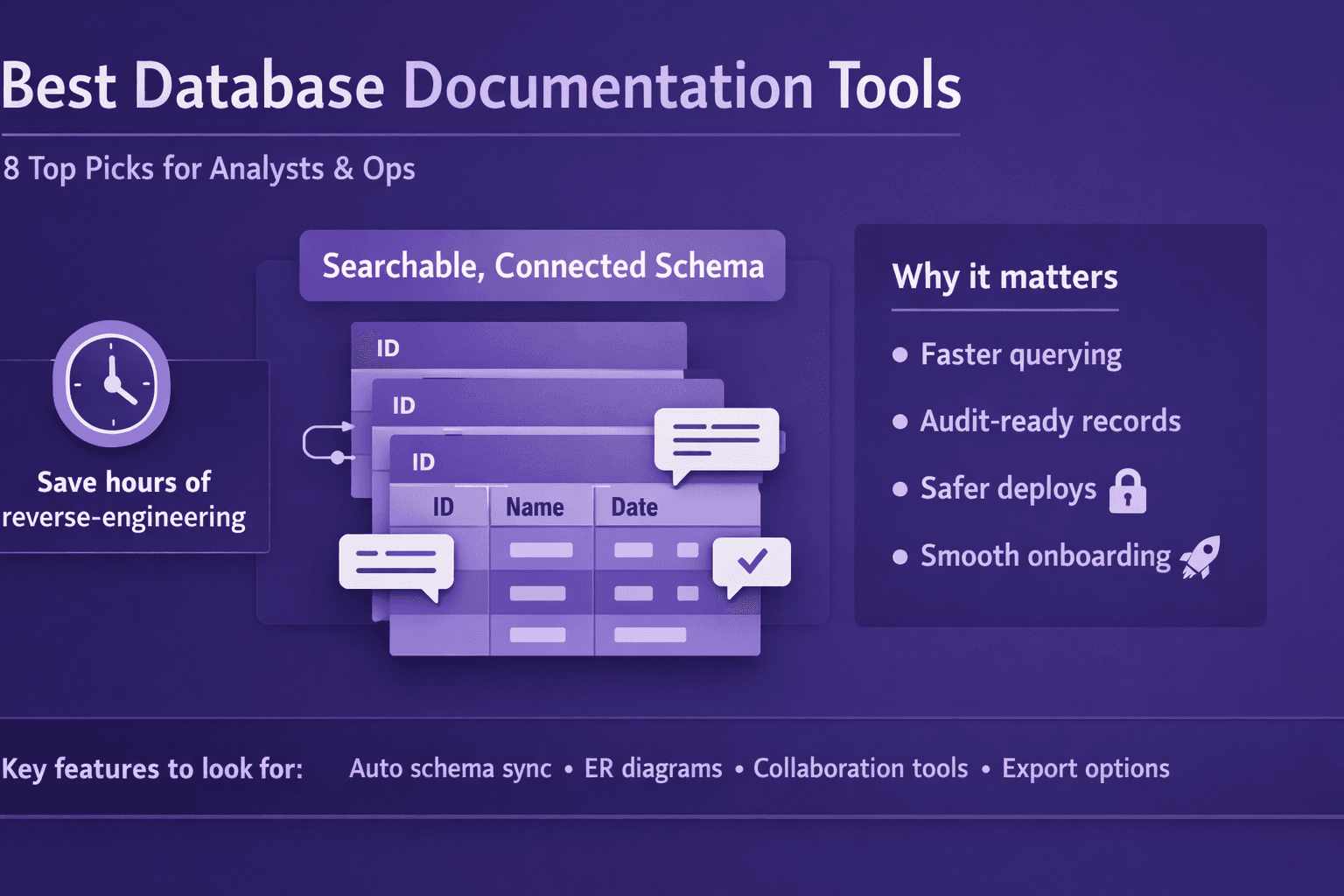
Clear, searchable database docs fix that. They get analysts querying faster, keep audits clean, and make onboarding non-traumatic. They also stop engineers from creating their own “tribal knowledge” wikis that go stale in two months.
This guide helps you pick the best database documentation tools for analysts, consultants, and ops managers. I’ll explain what matters (search, lineage, automation), compare top tools (commercial, SaaS, open source), walk you through a quick proof-of-concept (POC), and give practical tips to turn docs into a repeatable workflow. Along the way I’ll call out real examples—Dataedo, Redgate SQL Doc, ER/Studio, dbdocs.io, SchemaSpy, dbt docs, DBeaver, Confluence—and show where Lyren AI fits if you want screen-recorded processes turned into consumable docs and diagrams.
Use this guide as a checklist. Try a quick POC, involve stakeholders, and pick the tool that matches your team size, compliance requirements, and appetite for maintenance.
2. Why Good Database Documentation Is a Business Priority
Good docs aren’t “nice to have.” They’re business infrastructure. Here’s why.
Reduce time-to-insight
Analysts waste time chasing the right table or column. A searchable data dictionary and column-level descriptions reduce that search time dramatically.
- Real number: if a mid-sized team of 10 analysts each saves 30 minutes per day, that’s 50 analyst-hours per week. At $60/hr fully loaded, that’s $3,000/week saved.
- Example: a marketing analyst needs to join
eventswithcustomersbut isn’t sure whichcustomer_idis canonical. A documented foreign-key lineage would cut discovery from hours to five minutes.
Improve governance, auditability, and cross-team alignment
Documentation provides a single source of truth for definitions (what is an active user?), data retention policies, and transformation logic.
- Compliance: audits demand sources for metrics. Tools that track lineage and versioning make it possible to say exactly where a number came from.
- Example: during a PCI audit, operations used table-level retention notes in Dataedo plus Redgate SQL Doc exports to demonstrate deletion policies.
Lower operational risk during schema changes
When schema changes are documented and versioned, DBAs and developers can assess impact before deployments.
- Example: a minor rename of
user_emailtoemail_addressin Postgres should trigger a checklist: update ETL, update dashboards, notify product owners. Documentation and automated tests reduce failed deploys.
3. Key Criteria to Evaluate the Best Database Documentation Tools
When you're shopping for the best database documentation tools, don’t pick based on screenshots. Test the things that make docs actually useful.
Automatic schema discovery and update frequency
- Do you want real-time updates or are daily scheduled crawls enough? For fast-moving SaaS products using Snowflake and dbt, near-real-time is helpful. For billing systems with slower changes, nightly is fine.
- Check which drivers are supported: Postgres, MySQL, SQL Server, Oracle, Snowflake, Redshift, BigQuery.
- Example: SchemaSpy runs on JDBC and is great for quick setups; Dataedo supports scheduled scans and change-history.
Searchability, lineage, and data dictionary capabilities
- Search must be full-text and handle column descriptions, table names, and tags.
- Lineage: automatic lineage from SQL parsing (dbt models, views) is great. Manual lineage entries should be easy to add.
- Data dictionary features to look for: synonyms, metric definitions, owner/contact fields, retention, PII flags.
Integrations with databases, ETL tools, data catalogs, and CI/CD
- Does it integrate with dbt, Fivetran, Airbyte, Stitch, Kafka stream metadata?
- CI/CD: ability to generate docs as part of a pipeline (e.g., GitHub Actions running
dbt docs generate). - Example: dbt docs natively shows model SQL and DAG; pair it with Fivetran metadata to map ingestion.
Collaboration features, access controls, versioning, and export options
- Can business users comment? Are there read-only viewers?
- Versioning: can you see earlier docs and roll back?
- Exports: HTML, PDF, markdown? Useful for compliance or offline audits.
- Example: Confluence + schema exports is common—Confluence stores long-form policies; doc tools provide the schema snapshot.
Ease of use for non-engineers, templates, and customization
- Non-engineers should be able to read and search without SQL knowledge.
- Templates for table documentation, onboarding checklists, and standard operating procedures (SOPs).
- Example: Lyren AI can turn screen videos into step-by-step SOPs—useful for training non-technical people on data discovery workflows.
4. Top Picks and Tool Types (Commercial & Open Source Examples)
I’m going to group tools and state when I prefer each. No perfect choice—only the right trade-offs for your context.
Commercial, enterprise-grade options
- Dataedo
- Strengths: rich data dictionary, ER diagrams, scheduled exports, Windows/CLI options.
- Ideal for: mid-to-large enterprises that need governance, many database engines, and a polished UI.
- Notes: priced per user or server; good for compliance teams.
- Redgate SQL Doc
- Strengths: tight integration with SQL Server, automatic documentation generation from live schema, export to HTML/PDF.
- Ideal for: organizations heavily invested in Microsoft SQL Server.
- ER/Studio (by IDERA)
- Strengths: enterprise modeling and lineage, complex ER diagrams, metadata management.
- Ideal for: architects and large enterprises wanting centralized modeling.
Opinion: Buy commercial when you need vendor support, scale, and polished governance features. Don’t buy it just for pretty diagrams—only if lineage, exports, and audit trails matter.
SaaS-first documentation services
- dbdocs.io (by dbt Labs)
- Strengths: very quick to set up, built for dbt users. Exposes model docs and lineage graph.
- Ideal for: analytics teams using dbt who want low-friction sharing.
- Hosted doc builders (various vendors)
- Strengths: no-maintenance, fast sharing, access controls.
- Ideal for: small teams and consultants who don’t want to run infrastructure.
Opinion: SaaS is best for small-to-medium teams that want quick value without ops overhead. Watch out for data residency and vendor lock-in.
Open-source tools
- SchemaSpy
- Strengths: generates HTML docs, ER diagrams, runs on JDBC. Works well for quick self-hosted setups.
- Cons: UI is basic, requires infra to host.
- dbt docs
- Strengths: parses dbt models, tags, and descriptions embedded in YAML. Shows model lineage and SQL.
- Cons: only for dbt projects.
- Others: Apache Atlas (heavy, for data governance), Amundsen (from Lyft), Metacat.
When to choose open source: when you have engineering resources, need customization, or want to avoid license costs. Open source needs maintenance—consider that as a cost.
General-purpose tools and integrations
- DBeaver
- Use case: analysts and DBAs who want quick exported schema diagrams and table metadata while working locally.
- Confluence
- Use case: long-form docs, SOPs, and policy pages that link to exported schema snapshots.
- Diagram tools: draw.io, Lucidchart, dbdiagram.io
- Use case: simplified ER diagrams for architecture docs or onboarding slides.
How Lyren AI fits: if you have onboarding videos, screen recordings, or demos showing how analysts run queries or update dashboards, Lyren AI can convert those recordings into step-by-step procedures and flow diagrams, then link them to your schema docs. That means your documentation covers both the data model and the human processes around it.
5. How to Run a Quick Proof-of-Concept (POC)
Don’t test 10 tools at once. Run a short, focused POC with 2–3 candidates and a clear success definition.
Define success metrics
Pick measurable outcomes before you start. Example metrics:
- Time-to-document: how long from connection to usable docs (goal: < 4 hours for initial setup)
- Search accuracy: percent of test queries that return the right table/column on first try (goal: 85%+)
- Adoption: percent of analysts who used the docs for a live task in 2 weeks (goal: 70%+)
- Automation: ability to generate docs in CI/CD without manual steps
Sample dataset and schema for POC
Use a realistic but contained dataset. Example: "ecommerce" schema with these tables:
- customers (customer_id PK, email, signup_date, status)
- orders (order_id PK, customer_id FK, order_date, total_amount)
- order_items (order_item_id PK, order_id FK, product_id, qty, price)
- products (product_id PK, sku, name, category)
- events (event_id, customer_id, event_type, event_timestamp, metadata JSON)
- sessions (session_id, customer_id, start_time, end_time)
Seed a few hundred rows using scripts or sample data from Kaggle. That gives enough complexity for lineage and joins.
Checklist of features to test
- Auto-discovery: Can the tool connect and show tables/columns automatically?
- Update frequency: Does it have scheduled scans or webhooks?
- Search: Does full-text search return column descriptions and tags?
- Lineage: Does it show upstream/downstream for views and models?
- Exports: HTML/PDF/Markdown snapshots?
- Permissions: Role-based access, SSO support (Okta, Azure AD, Google Workspace)
- Integration: dbt, Airflow, Fivetran connectors
- Collaboration: comments, ownership fields, workflows
- Versioning & History: Can you view past snapshots?
How to gather stakeholder feedback and score candidate tools
Create a short survey (1–2 pages) for stakeholders: analysts, ops, compliance, DBAs. Use a 1–5 score on these axes:
- Ease of use
- Search quality
- Completeness of metadata
- Integration fit
- Likelihood to adopt
Example scoring template (scale 1–5):
- Ease of setup: __
- Search relevance: __
- Lineage clarity: __
- Exporting for audits: __
- Overall recommendation: __
Run the POC for 2–4 weeks, present results, and pick the tool with the highest weighted score (weight search and lineage heavier for analytics teams).
6. Implementing Documentation as a Repeatable Workflow
Documentation isn't “one-and-done.” You need ownership, automation, and small rules that everyone follows.
Set ownership
- Assign data stewards: one per domain (e.g., payments, customers, marketing).
- DBAs own physical schema changes and the annotations that explain change context.
- Analysts own metric definitions and example queries.
Create a simple RACI:
- Responsible: data steward for content
- Accountable: domain lead
- Consulted: analysts and engineers
- Informed: product and compliance
Automating doc generation in CI/CD or ETL pipelines
Automate docs so they update when underlying code changes.
Example: dbt project with GitHub Actions to generate and publish dbt docs to an internal S3 bucket or static hosting.
.github/workflows/dbt-docs.yml
name: Build dbt docs
on:
  push:
    branches: [ main ]
jobs:
  docs:
    runs-on: ubuntu-latest
    steps:
      - uses: actions/checkout@v3
      - name: Set up Python
        uses: actions/setup-python@v4
        with:
          python-version: '3.9'
      - name: Install dbt
        run: pip install dbt-core dbt-postgres
      - name: Run dbt docs
        run: |
          dbt deps
          dbt compile
          dbt docs generate
      - name: Upload to S3
        uses: jakejarvis/s3-sync-action@master
        with:
          args: --delete
        env:
          AWS_S3_BUCKET: ${{ secrets.DOCS_BUCKET }}
          AWS_ACCESS_KEY_ID: ${{ secrets.AWS_KEY }}
          AWS_SECRET_ACCESS_KEY: ${{ secrets.AWS_SECRET }}
For non-dbt tools: run SchemaSpy or Dataedo CLI as part of nightly jobs and publish HTML exports to an internal site.
SchemaSpy example command:
java -jar schemaspy.jar -t pgsql -db ecommerce -s public -u your_user -p your_pass -host db.example.com -o ./schema-docs
Best practices for naming, descriptions, tags, and lineage notes
- Naming: follow a predictable convention (e.g., snake_case for tables and columns). For views, postfix with
_vwfor clarity. - Descriptions: every table and column should have a one-line definition plus an example value. Example:
- orders.total_amount: "Total paid for the order in USD. Example: 49.99. For refunds, see refunds table."
- Tags: add domain tags (payments, marketing), PII flags (PII=email), retention tags (90d).
- Lineage notes: link ETL job names (Fivetran: stripe_customers) and include transformation snippets or dbt model references.
- Example metric doc:
- Metric: Monthly Active Users (MAU)
- Definition: Count of distinct users with an event_type IN ('login', 'purchase') where event_timestamp falls within the month and user.status != 'inactive'.
- SQL sample: SELECT COUNT(DISTINCT customer_id) FROM events WHERE event_type IN ('login','purchase') AND event_timestamp >= '{{ first_of_month }}' AND ...;
- Owner: analytics@company.com
- Upstream: events table, fivetran_event_stream
- Tags: metric, MAU, engagement
Onboarding and change-management to increase adoption
- Train: 1-hour intro session + short video walkthrough (Lyren AI can auto-generate step-by-step docs from the recording).
- Make docs part of the process: require doc updates in pull requests for schema changes.
- Measure adoption: track unique visitors to docs, search queries, and support tickets reduced.
- Celebrate wins: show “time saved” stories during sprint reviews.
7. Pricing, ROI, and Vendor Selection Tips
Money matters. Here’s how to pick with cost and value in mind.
Comparing TCO: licensing, hosting, maintenance, and integration costs
- Licensing: per-user vs. server license. Large teams may prefer server licensing; small teams like per-seat SaaS.
- Hosting: SaaS has predictable costs. Self-hosted adds infra costs (EC2, S3, backups).
- Maintenance: include engineer time for upgrades; open-source tools require more ops time.
- Integrations: some vendors charge extra for connectors (Snowflake, dbt, Airflow).
Example TCO estimate (year 1) for a 20-person analytics org:
- Commercial SaaS: $10k–$40k/yr depending on seats and features.
- Self-hosted open-source: $2k infra + 160 hours engineer time (~$16k) = ~$18k first year.
- Commercial enterprise (Dataedo/ER/Studio): $30k–$100k+ depending on modules.
When open-source reduces cost vs. when commercial support is worth it
- Use open-source when you have engineers to support and want customization.
- Buy commercial when compliance, uptime SLAs, and vendor support reduce risk for your business.
Estimating ROI via time savings
Work an example: 15 analysts save 30 minutes/day each → 7.5 analyst-hours/day → 37.5 hours/week. At $60/hr, annual savings ~ $117,000 (50 working weeks). Even a $30k tool pays for itself quickly.
Add incident reduction: if one major incident avoided per year saves $25k in emergency dev time, that improves ROI further.
Negotiation tips and pilot-to-production transition considerations
- Start with a 90-day pilot with production-like data. Ask vendors for proof-of-concept licensing or evaluation seats.
- Negotiate on connectors, SSO, and support SLAs. Vendors often discount first-year pricing by 20–40%.
- For self-hosted, require a rollout checklist and a rollback plan if a tool causes unforeseen load on production DBs during discovery scans.
8. Conclusion
Pick the best database documentation tools by matching need to scale:
- Small analytics teams: go SaaS or dbt docs + dbdocs.io for fast wins.
- Teams using SQL Server: Redgate SQL Doc is a solid fit.
- Enterprises needing modeling and governance: ER/Studio or Dataedo.
- Open-source lovers or heavy customization needs: SchemaSpy, Amundsen, or deploying Metacat.
Suggested next steps:
- Run a 2–4 week POC with a clear success matrix (time-to-document, search accuracy, adoption).
- Involve data stewards, analysts, and ops from day one.
- Automate docs in CI/CD or nightly ETL runs.
- Use SOP generation tools (like Lyren AI) to convert screen recordings and onboarding videos into step-by-step process docs and flow diagrams—this closes the loop between data models and human workflows.
POC Checklist (copy-paste)
- Connect to sample DB and run auto-discovery
- Generate initial docs in < 1 day
- Test full-text search with 10 sample queries
- Verify lineage for views and ETL jobs
- Set up scheduled doc update (nightly or webhook)
- Export snapshot for compliance (PDF/HTML)
- Add owner, tags, PII flags on 10 tables
- Run stakeholder survey and collect scores
Evaluation template (simple scoring)
- Ease of setup (1–5): __
- Search relevance (1–5): __
- Lineage clarity (1–5): __
- Automation & CI support (1–5): __
- Cost & TCO (1–5): __
- Overall recommendation (1–5): __
Actionable takeaways
- Start small: document the 10 most-used tables first (orders, customers, events).
- Make docs part of pull requests for schema changes.
- Automate doc generation in CI/CD to reduce drift.
- Use process-capture tools (Lyren AI or similar) to convert tribal knowledge into SOPs and diagrams.
- Measure adoption and time saved; use those numbers to justify procurement.
Pick one tool, run the POC, and commit to ownership. Documentation pays when it’s accurate, discoverable, and connected to the people who use the data.